When I first used a Polaroid printer, I was amazed at how quickly it printed my favorite phone photos. Watching the picture develop right before my eyes felt nostalgic yet modern, and the prints were perfect for decorating my journal and sharing with friends.
A Polaroid printer is a compact device that instantly prints photos from your smartphone or camera. It uses special ZINK (zero ink) paper to produce smudge-proof, full-color prints without ink cartridges—perfect for creating quick, shareable memories.
In this article we discuss about “Polaroid Printer”
Table of Contents
Introduction:
When I first got my hands on a Polaroid printer, I was amazed at how quickly I could turn my digital photos into charming physical prints. It felt nostalgic yet modern—like blending the magic of vintage Polaroid cameras with the convenience of smartphones. If you love photography or just want instant memories, a Polaroid printer is a perfect choice.
What Is a Polaroid Printer?
A Polaroid printer is a compact photo printer that produces instant, small-sized prints similar to classic Polaroid photos. It connects to your smartphone or camera via Bluetooth or Wi-Fi and prints high-quality images on special photo paper—no ink cartridges required.
How Does a Polaroid Printer Work?
Most Polaroid printers use ZINK (Zero Ink) technology. Instead of ink cartridges, ZINK paper contains dye crystals that activate when heated. Once you send a photo for printing, the printer heats the paper in precise areas, producing a full-color image instantly. It’s fast, mess-free, and perfect for on-the-go printing.
The Evolution of Polaroid Printing:
1. From Classic Polaroids to Modern Printers:
Back in the 1970s, Polaroid cameras revolutionized photography with instant film. You’d take a picture, wait a few seconds, and your photo would develop right in your hand. Over time, digital cameras replaced film—but the instant photo charm never disappeared.
2. The Digital Revival:
Today’s Polaroid printers bring that same instant photo experience into the digital world. You can print pictures from your phone or social media, complete with filters and frames, while keeping that retro Polaroid look.
Types of Polaroid Printers:
1. Instant Film Printers:
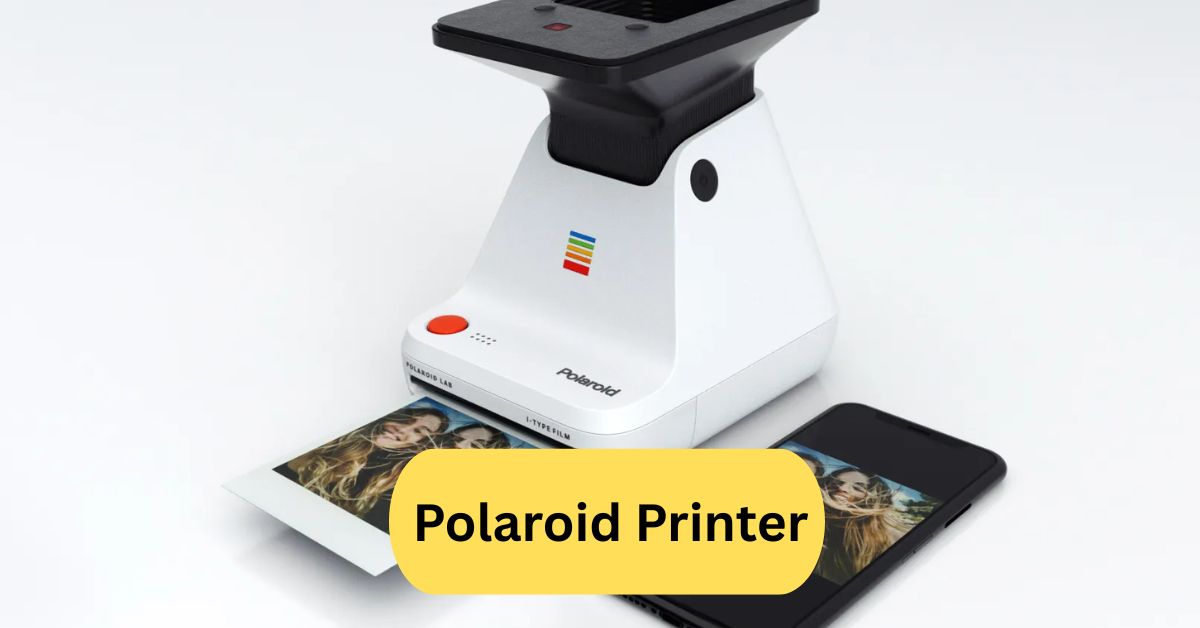
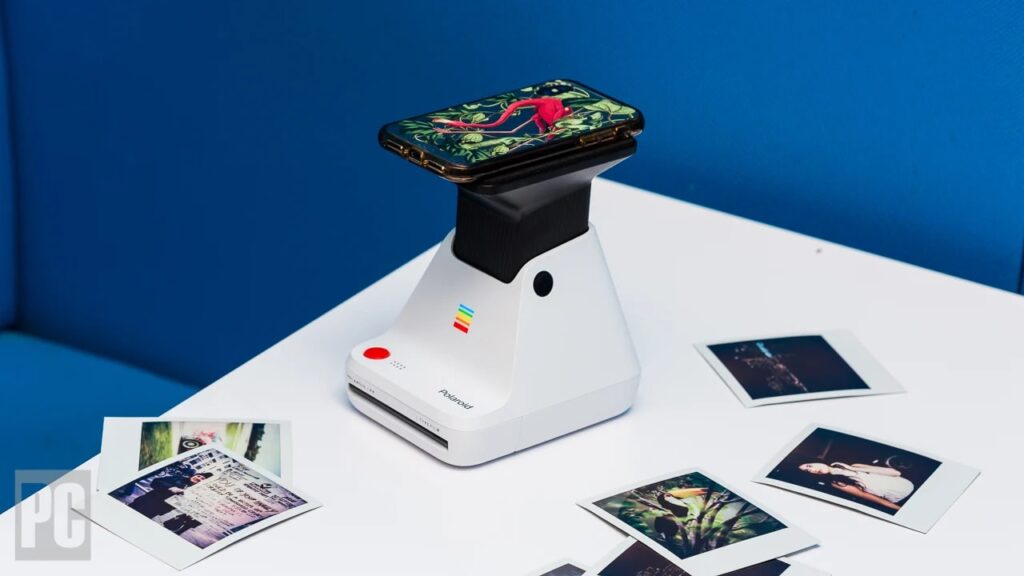
These printers use real Polaroid film and develop photos just like vintage cameras. The Polaroid Lab is a good example—it exposes your phone’s image onto Polaroid film using light.
2. Smartphone-Compatible Printers:
Modern models like the Polaroid Hi-Print and Instax Mini Link pair easily with mobile apps, letting you customize photos before printing.
3. Portable Pocket Printers:
These mini printers fit in your pocket, perfect for travelers and content creators who want quick prints anywhere.
Key Features of a Polaroid Printer:
1. Wireless Connectivity:
Most models use Bluetooth or Wi-Fi, so you can print directly from your smartphone without cables.
2. ZINK (Zero Ink) Technology:
No ink cartridges, no mess—just pop in ZINK photo paper and start printing.
3. Compact and Portable Design:
Designed for portability, these printers are lightweight and fit easily in a backpack or purse.
4. Print Speed and Quality:
Polaroid printers deliver crisp, vibrant photos in under a minute—ideal for instant memories.
How to Use a Polaroid Printer Step-by-Step:
1. Connecting Your Device:
Download the printer’s app and connect your smartphone via Bluetooth.
2. Selecting Photos:
Choose photos from your gallery or social media feed and edit them with filters or stickers.
3. Printing and Developing:
Press print—and in seconds, your photo appears, ready to be shared or displayed!
Benefits of Using a Polaroid Printer:
- Instant Gratification — No waiting for lab prints.
- Creative Expression — Customize each photo with filters, borders, or text.
- Eco-Friendly — No ink waste.
- Memorable Keepsakes — Physical photos always feel more personal than digital ones.
Best Polaroid Printers in 2025:
1. Polaroid Hi-Print:
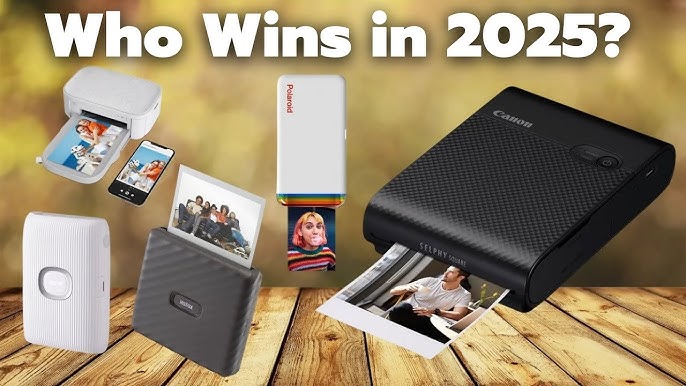
Compact and stylish, the Hi-Print produces 2×3″ ZINK prints straight from your phone. Great for journaling or photo walls.
2. Polaroid Lab:
Transforms digital pictures into real Polaroid photos using genuine film—ideal for classic photo enthusiasts.
3. Fujifilm Instax Mini Link:
Beloved for its quick printing and fun templates, this one’s a hit at parties and events.
4. Kodak Mini Shot 3 Retro:
Combines a camera and printer in one, letting you snap and print on the spot.
Polaroid Printer vs Traditional Printer:
| Feature | Polaroid Printer | Traditional Printer |
| Purpose | Instant photo prints | Documents & photos |
| Size | Compact & portable | Bulky |
| Ink Use | Zero ink / film-based | Ink or toner |
| Speed | Instant | Varies |
| Connectivity | Wireless/mobile | USB / Wi-Fi |
If your goal is to print instant photos with a nostalgic vibe, the Polaroid printer wins every time.
Polaroid Printer for Smartphones:
Smartphone printers like the Hi-Print and Instax Link are perfect for social media lovers. You can edit photos in the app, add filters, text, and frames, then print instantly. It’s like having a mini photo studio in your pocket.
Creative Uses for Polaroid Printers:
1. DIY Crafts and Scrapbooks:
Print mini photos to decorate scrapbooks, planners, or journals.
2. Personalized Gifts:
Turn your memories into unique gifts—custom magnets, bookmarks, or photo collages.
3. Event Memories:
Perfect for weddings, birthdays, or travel diaries—guests can print and keep memories instantly.
Tips for Getting the Best Print Quality:
- Use high-resolution photos.
- Avoid low-light or blurry images.
- Clean the printer rollers regularly.
- Keep ZINK paper stored in a cool, dry place.
- Calibrate your printer through the app if needed.
Common Problems and Troubleshooting:
- Photo too dark: Adjust brightness before printing.
- Paper jam: Open the back cover and reinsert the paper.
- Bluetooth not connecting: Restart both devices.
- Lines on prints: Wipe the print head gently with a microfiber cloth.
Are Polaroid Printers Worth It?
Absolutely—if you love tangible memories and creativity. While photo paper can be pricey, the emotional value of instant prints makes it worthwhile. They’re perfect for social gatherings, journaling, and anyone who misses the magic of holding a photo moments after it’s taken.
Best Polaroid printer:
For the “best” Polaroid-style printer for phone photos, the Polaroid Hi-Print 2×3 Pocket Photo Printer stands out. It uses dye-sublimation tech for sharp, vibrant 2.1″×3.4″ prints, works via Bluetooth with a smartphone app, and offers good quality for casual on-the-go printing.
Be aware: the print cartridges are quite pricey and the print size is small, so if you want a larger format or ultra-budget per-print cost, you might want to compare with alternatives.
Polaroid printer Instax:
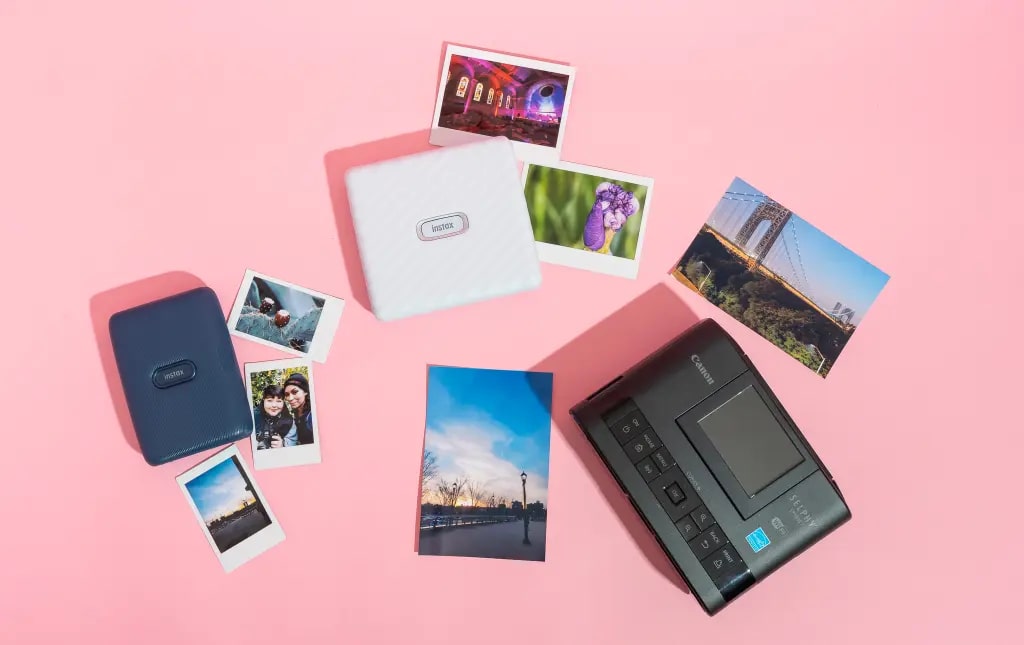
The Instax phone-printer line (e.g., Mini Link/Square Link) lets you wirelessly print smartphone photos onto Instax instant-film, with Mini, Square or Wide formats to choose from.
It tends to offer more consistent image quality and better value per print than rival formats, making it ideal for fun, casual physical snapshots.
However, film refills still cost more than regular photo paper and you’re constrained to the Instax film size and format you chose.
Polaroid printer for phone:
If you’re looking for a phone-to-print solution, the [Polaroid Hi‑Print 2×3 Pocket Photo Printer Gen 2](https://www.bhphotovideo.com/c/product/1820613-REG/polaroid_9129_hi_print_2x3_pocket_printer.html?utm_source=chatgpt.com) connects via Bluetooth to your iPhone or Android, then uses its app to let you edit and send phone pics to the printer.
It produces sharp 2.1″×3.4″ peel-and-stick photos using dye-sublimation tech in under a minute.
Do note: it requires special cartridges (paper + dye combo), which adds to the cost per print compared to standard photo printing.
Frequently Asked Questions:
1. Is there a printer that turns photos into Polaroids?
Yes — for example, the Polaroid Lab or Hi-Print can take digital images (from a phone or camera) and produce prints that look like traditional Polaroids.
2. Can I get my pictures printed as Polaroids?
Absolutely — you can use an instant printer that supports Polaroid-style film or print format, or send your images to a service that prints in that format.
3. Are Polaroid printers worth the cost?
It depends on your priorities: they provide nostalgic, physical prints and fun format, but the cost per print and film/cartridge cost tend to be higher than standard photo printing.
4. Which Polaroid printer is best?
One strong contender is the Polaroid Hi-Print (Generation 2) — reviewers found it produces finer details and richer colours than some competitors.
5. Which is better, a Polaroid or an Instax printer?
The answer depends: Instax (by Fujifilm) tends to have lower per-print cost and simpler workflow, while Polaroid may offer larger format, better detail in some models — for example, one comparison found Polaroid Hi-Print had superior detail though slower and more expensive.
6. How to print photos like Polaroids at home?
You can: (a) use a dedicated instant-photo printer that supports smartphone images, (b) load your images into it (often via an app), and (c) select the “Polaroid-style” format (white border, square or rectangle) and print. Ensure you have the correct film/cartridge. Example: Polaroid Lab uses an app + film to produce instant-film prints.
7. Do Polaroid printers run out of ink?
Most instant printers use specialized film/cartridges rather than separate ink cartridges; once the film/print pack is used up, you load a new one. Traditional ink-cartridge printers are different. For example, the Polaroid Hi-Print uses a dye-sublimation cartridge/paper combo rather than refill ink.
8. Which mini photo printer is best?
“Best” depends on budget, format and desired print size. The Polaroid Hi-Print is highly rated in the “portable photo printer” category. If you tell me your budget & size preference, I can pick 2-3 top models for you.
9. Is Polaroid or Instax cheaper?
Instax tends to be cheaper overall (film cost, per-print cost) than Polaroid systems. For example, one source states that Polaroid’s I-Type film is more expensive.
10. Can you turn iPhone photos into Polaroids?
Yes — you can print iPhone photos using a compatible instant printer (via Bluetooth/WiFi/app) onto instant-film/style prints (Polaroid-format) and get the “Polaroid look”. E.g., the Polaroid Lab app allows printing phone images onto Polaroid film. ff
Conclusion:
A Polaroid printer is a compact device that instantly prints photos from your smartphone or camera without using ink cartridges. It works with ZINK or film technology, producing smudge-proof, colorful prints in seconds. Models like the Polaroid Hi-Print and Polaroid Lab combine vintage charm with digital convenience. They’re great for journaling, events, and personalized gifts. Though film costs can add up, the joy of holding a real photo moments after taking it makes these printers totally worth it.
About the Author