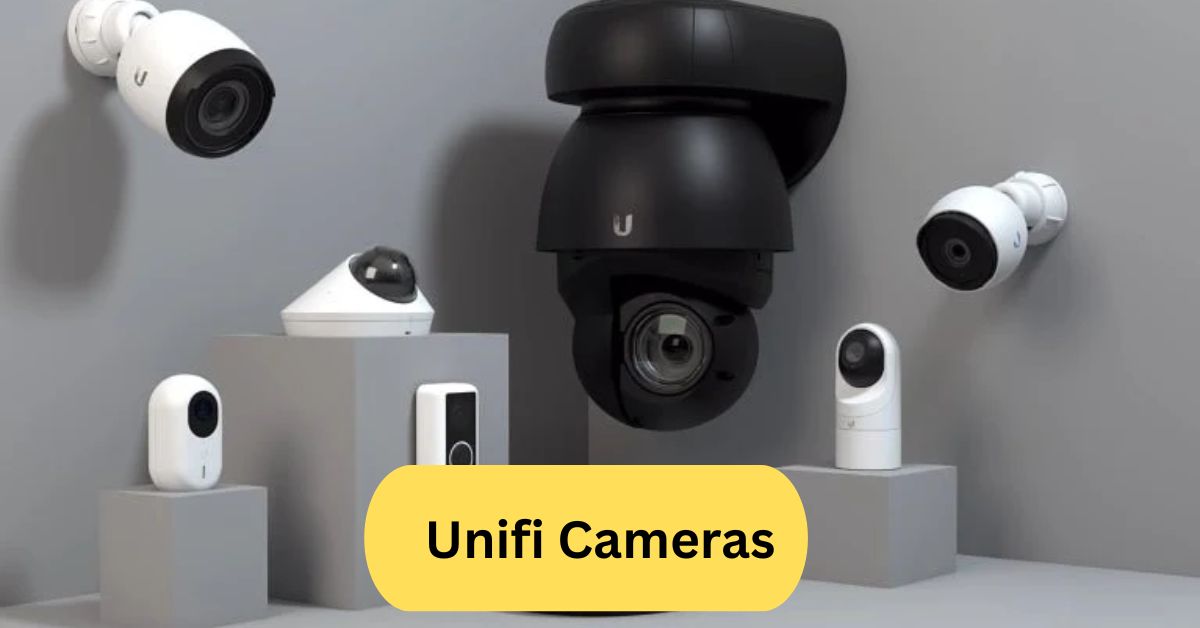
I once set up a UniFi camera at a friend’s office, and I was impressed by how smooth the installation was—it connected right into the UniFi Protect system without hassle. The video quality was crystal clear, even at night, and getting motion alerts on the phone felt really reliable for security.
UniFi Cameras are high-quality IP security cameras by Ubiquiti, designed for seamless integration with the UniFi Protect system. They offer features like HD video, night vision, motion detection, and remote access through the UniFi app, making them ideal for home and business surveillance.
In this article we discuss about “Unifi Cameras.”
Table of Contents
Introduction to UniFi Cameras:
Nowadays, security is about visibility, alertness, and peace of mind rather than just securing doors.UniFi cameras by Ubiquiti have become a go-to choice for homeowners, IT professionals, and businesses that want high-quality surveillance without subscription headaches.
Instead of being tied down with monthly fees, UniFi users enjoy a one-time purchase model, making these cameras more cost-effective over time.
Who Owns UniFi Cameras?
UniFi is a flagship brand under Ubiquiti Inc., a U.S.-based networking technology company.
The Role of Ubiquiti in Surveillance Technology:
Since 2003, Ubiquiti has disrupted the networking and security market with Wi-Fi routers, mesh systems, access points, and IP cameras. Its UniFi brand focuses on enterprise-grade performance made simple enough for everyday users.
Ubiquiti’s reputation for quality hardware, continuous software updates, and a loyal community has helped UniFi cameras become a trusted security solution worldwide.
Why Choose UniFi Cameras?
So, what makes UniFi stand out when the market is full of options like Arlo, Ring, and TP-Link?
1. Cost-Effective and Subscription-Free:
Most competitors lure you with affordable hardware but tie you to recurring fees. UniFi flips the model: buy once, own forever.
For example:
- Ring charges $3–$10/month for video storage.
- Arlo charges $8.99/month for advanced features.
- UniFi? Free storage and full features with UniFi Protect.
2. Seamless Integration with UniFi Ecosystem:
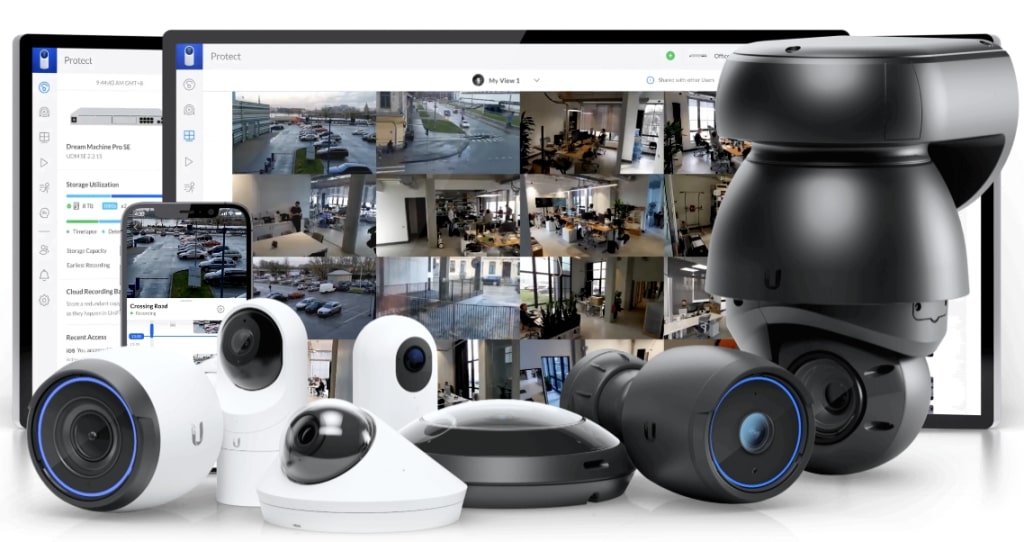
UniFi isn’t just cameras—it’s routers, switches, access points, and video recorders, all managed under one app (UniFi Protect).
Think of it as a smart home hub for professionals—where your security system, Wi-Fi, and networking gear speak the same language.
Key Features of UniFi Cameras:
UniFi cameras deliver enterprise-grade performance at consumer-friendly prices.
1. Crystal-Clear Video Quality:
From 1080p HD to 4K Ultra HD, UniFi ensures every detail is sharp. Some models even offer wide dynamic range (WDR) for better handling of light and shadows.
2. AI Detection and Smart Alerts:
No more being spammed by false alerts from trees moving. UniFi AI can:
- Detect people vs. vehicles.
- Send push notifications only when needed.
- Provide heat maps of activity zones (in advanced models).
3. Night Vision and Remote Access:
Infrared LEDs allow clear night footage up to 30 meters, and the mobile app lets you check your home anytime, anywhere.
Types of UniFi Cameras:
Choosing the right UniFi model depends on your needs.
1. UniFi Protect G4 Series:
- Balanced performance and affordability.
- Includes G4 Bullet, G4 Dome, and G4 Pro.
- Great for homeowners and small businesses.
2. UniFi Protect G5 Series:
- Latest generation with superior low-light sensors.
- Wider field of view and better color accuracy.
- Perfect for professional-grade monitoring.
3. Dome vs. Bullet Cameras:
- Dome Cameras: Discreet, tamper-resistant, and great indoors.
- Bullet Cameras: Visible deterrent, long-range outdoor use.
4. UniFi Doorbell Camera:
- Combines security with convenience.
- Features two-way audio, motion alerts, and remote answering.
- Ideal for smart homes.
Setting Up UniFi Cameras:
Installation is designed to be simple—even for non-tech users.
1. Using Power over Ethernet (PoE):
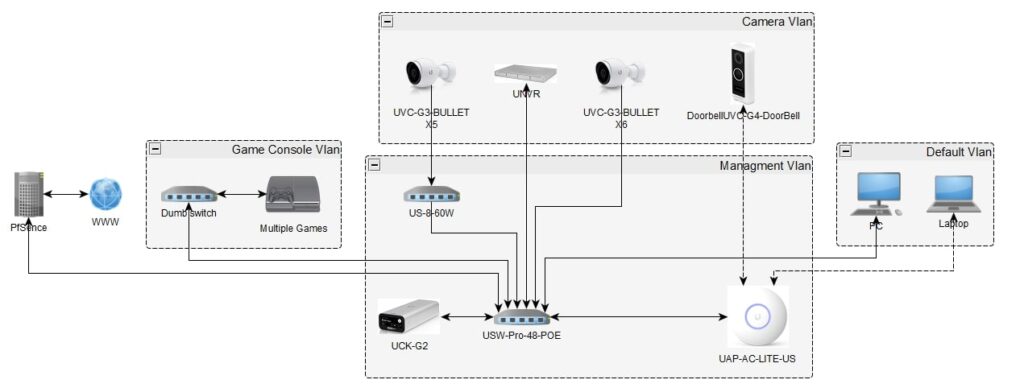
Instead of juggling power adapters, UniFi cameras use PoE, meaning a single cable delivers both power and internet. Clean, efficient, and reliable.
2. Using the UniFi Protect App:
Setup takes minutes:
- Plug the camera into the PoE switch.
- Open the UniFi Protect app.
- Scan the QR code and connect.
Storage can be local (NVR/UniFi Cloud Key Gen2+) or optional cloud.
UniFi Protect Software:
This is where UniFi shines—it’s not just hardware; it’s software magic.
1. User-Friendly Interface:
The UniFi Protect dashboard makes managing multiple cameras across multiple sites effortless.
2. Smart Alerts and Notifications:
Customizable notifications let you decide:
- Get alerted only for people, not animals.
- Schedule notifications during work hours only.
Do UniFi Cameras Require a Subscription?
Nope. That’s the biggest selling point.
3. Long-Term Savings Compared to Competitors:
- Ring: $100+ per year in cloud fees.
- Arlo: $120+ per year.
- UniFi: $0.
Over 5 years, that’s a saving of $500–$600 per camera.
Best UniFi Camera for Different Needs:
Nowadays, security is about visibility, alertness, and peace of mind rather than just securing doors.
1. For HomeSecurity,G4 Instant:
- Compact, affordable, and great indoors.
2. For Businesses,G5 Pro:
- Professional 4K resolution and wide coverage for offices, warehouses, or retail stores.
3. For Outdoor Use,G4 Bullet:
- Weatherproof, rugged, and long-range IR vision.
4. For Budget Buyers,G3 Flex:
- Affordable entry-level option without losing reliability.
UniFi Camera Competitors:
Every good brand has competition
- Ring: Great for smart homes but requires a subscription.
- Arlo: Wireless convenience but higher long-term costs.
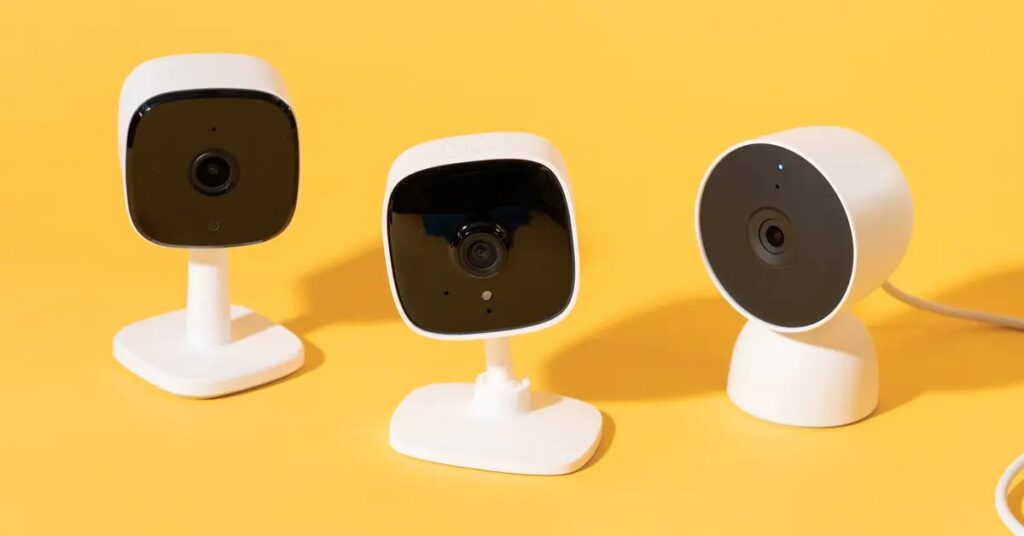
- TP-Link Tapo: Budget-friendly, but weaker ecosystem.
- Hikvision: Strong in commercial use but less user-friendly.
Are UniFi Cameras Discontinued?
Not at all. Ubiquiti actively updates UniFi Protect and continues to release new generations (like the G5 series).
Why Are UniFi Cameras So Affordable?
The secret is in the business model.
Nowadays, security is about visibility, alertness, and peace of mind rather than just securing doors.
This approach allows:
- Lower lifetime costs for customers.
- Increased trust and loyalty.
- Faster adoption worldwide.
Pros and Cons of UniFi Cameras:
Every system has trade-offs.
Pros:
- No subscription fees.
- High-quality video (HD to 4K).
- Easy integration with the UniFi ecosystem.
- Reliable PoE connection.
Cons:
- Works best if you already own UniFi gear.
- Requires a PoE switch (extra purchase if you don’t have one).
- Not as plug-and-play wireless as Arlo or Ring.
My Personal Experience with UniFi Cameras:
When I installed a UniFi G4 Dome at home, I was impressed by the crystal-clear footage and accurate alerts. At night, the IR mode captured details that my previous budget camera completely missed.
At a friend’s café, we installed the G5 Pro, and it made a huge difference—customers felt safer, and the wide coverage reduced blind spots.
How Long Has UniFi Been in Business?
Ubiquiti has been around since 2003, and UniFi products have grown into a global ecosystem—trusted by homes, small businesses, schools, and enterprises alike.
Final Verdict—Are UniFi Cameras Worth It?
Yes, absolutely. If you want high-quality surveillance, zero subscriptions, and long-term reliability, UniFi is one of the smartest investments you can make for security.
UniFi camera outdoor:
UniFi Camera Outdoor: UniFi outdoor cameras are designed for reliable security with weatherproof housing, high-resolution video, and night vision. They connect seamlessly to the UniFi Protect system, offering remote monitoring and easy management.
UniFi Protect:
UniFi Protect is Ubiquiti’s video surveillance platform that allows you to manage UniFi cameras, doorbells, and recorders from a single app. It offers secure local storage, remote access, motion alerts, and easy integration with other UniFi devices without monthly subscription fees.
Unifi camera login:
You can log in to your UniFi camera through the UniFi Protect app or web portal using your Ubiquiti account credentials. Once logged in, you can manage live feeds, recordings, and camera settings securely from anywhere.
UniFi camera system:
The UniFi camera system by Ubiquiti offers high-quality video surveillance with easy integration into the UniFi Protect platform. It provides centralized management, remote access, and reliable security without requiring monthly subscription fees.
UniFi cameras HomeKit:
UniFi Cameras HomeKit: UniFi cameras do not natively support Apple HomeKit, but you can integrate them using third-party solutions like Homebridge or Scrypted. This allows you to view UniFi camera feeds directly in the Apple Home app with added smart home control.
UniFi Cameras app:
The UniFi Cameras app (UniFi Protect) lets you view live feeds, manage recordings, and control UniFi cameras from your smartphone. It provides remote access, motion alerts, and an easy-to-use interface for secure surveillance.
Frequently Asked Questions:
1. Is UniFi a Chinese company?
No, UniFi is a brand by Ubiquiti Inc., an American technology company headquartered in New York, USA.
2. Is Ubiquiti discontinuing cameras?
No, Ubiquiti is not discontinuing UniFi cameras, though some older models are phased out and replaced with newer versions.
3. Do UniFi cameras require a subscription?
No, UniFi cameras don’t require a subscription—video storage and management run on the UniFi Protect controller.
4. Which UniFi camera is best?
The UniFi G4 Pro is considered the best, with 4K video, excellent low-light performance, and wide coverage.
5. Why is UniFi cheap?
UniFi products are more affordable because Ubiquiti uses a direct-to-consumer model with minimal marketing costs.
6. Who is the owner of UniFi?
UniFi is owned by Ubiquiti Inc., founded by entrepreneur Robert Pera.
7. Who competes with UniFi?
Competitors include Arlo, Ring, Hikvision, Dahua, and TP-Link (Tapo/Kasa) in the security camera market.
8. Which company owns UniFi?
Ubiquiti Inc., a U.S.-based networking technology company, owns the UniFi brand.
9. How long has UniFi been in business?
Ubiquiti was founded in 2003, so UniFi has been active for about 20+ years.
10. Is TP-Link a Chinese company?
Yes, TP-Link is a Chinese networking equipment manufacturer headquartered in Shenzhen, China.
Conclusion:
UniFi cameras stand out as a reliable, cost-effective, and subscription-free security solution for both homes and businesses. With features like HD to 4K video, night vision, AI detection, and seamless UniFi Protect integration, they deliver professional-grade surveillance at consumer-friendly prices. Backed by Ubiquiti’s strong reputation and continuous updates, UniFi cameras are a long-term investment in safety, convenience, and peace of mind.
About the Author





