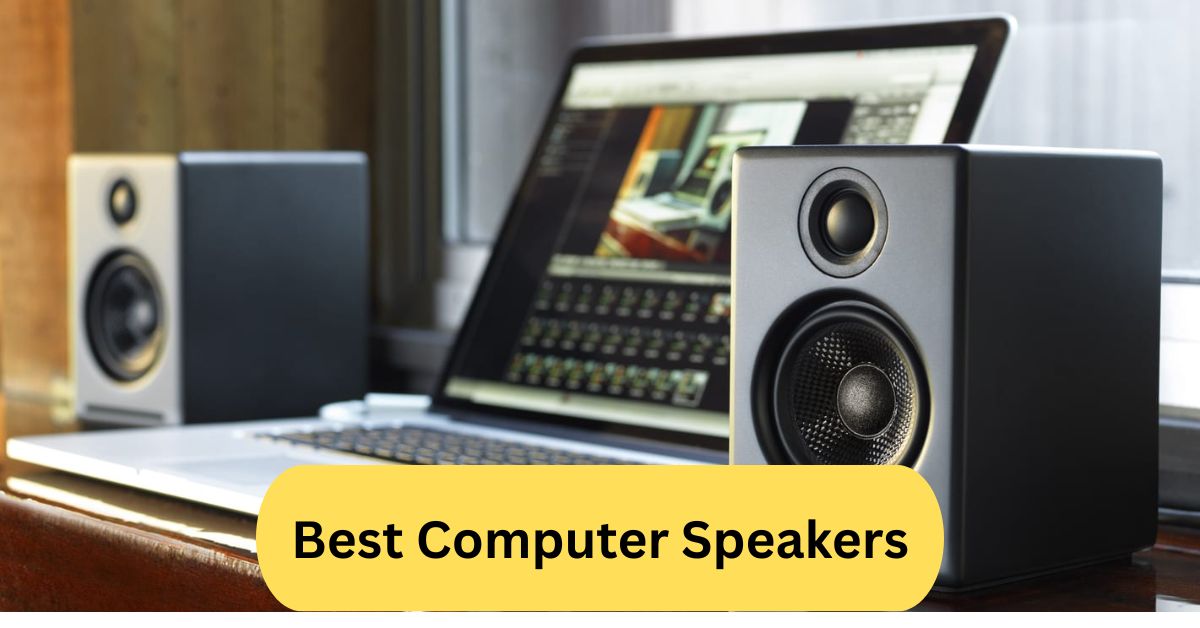
When I upgraded to quality computer speakers, the sound instantly became richer and more immersive. Music, movies, and games felt alive with deep bass and crystal-clear vocals. It completely transformed my desktop experience.
When choosing the best computer speakers, go for models that offer clear, well-balanced sound and versatile connectivity (e.g., 3.5mm AUX, USB, or Bluetooth). Reviewers highlight that even budget options can deliver excellent audio if they’re well built and properly powered.
In this article we discuss about “Best Computer Speakers”
Table of Contents
Introduction:
Ever listened to music or watched a movie on your PC and felt like something was missing? That “something” is usually high-quality sound. The best computer speakers can transform your experience from average to immersive — making everything from games to YouTube videos feel alive.
Built-in laptop or monitor speakers rarely do justice to the rich layers of sound modern media offers. If you truly want clarity, depth, and power, investing in good external speakers is the way to go.
What Makes a Speaker the Best for PC?
When it comes to finding the best computer speakers, it’s not just about volume. The ideal speaker setup offers a balanced mix of clarity, bass response, and frequency range.
Key factors include:
- Sound quality: Crisp highs, deep lows, and balanced mids.
- Connectivity: Bluetooth, USB, or AUX options.
- Size & design: Compact yet powerful for your workspace.
- Price-to-performance ratio: Getting value without overspending.
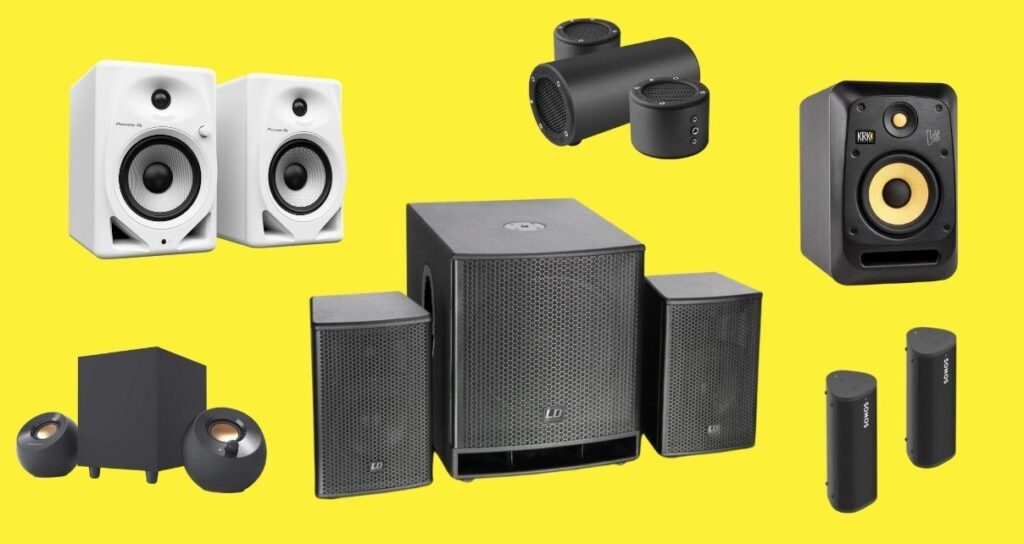
Types of Computer Speakers:
1. Speaker Systems
These have two channels — left and right — great for casual music and general use. They’re compact and affordable.
2. Speaker Systems:
Includes two satellites and a subwoofer. Ideal for those who love deep bass and immersive sound during games or movies.
3. Surround Sound Systems:
Perfect for cinematic or gaming setups, these offer full surround sound but require more space and setup time.
4. Soundbars for PCs:
A sleek solution for minimal desk setups. Soundbars can deliver surprisingly powerful sound with modern DSP technology.
5. Portable Bluetooth Speakers:
If you’re always on the move, Bluetooth speakers are versatile. You can use them with your PC, phone, or tablet seamlessly.
Best Computer Speaker Brands:
1. Bose:
Bose is known for crystal-clear audio and elegant designs. Their speakers deliver balanced sound without distortion, even at high volume.
2. Logitech:
A favorite among gamers and office users alike. Logitech offers everything from budget models to high-end RGB gaming setups.
3. JBL:
JBL speakers are known for their punchy bass and durability. They’re perfect for those who like vibrant, energetic sound.
4. Creative Labs:
An underrated gem. Creative offers compact speakers with impressive clarity and value.
5. Razer:
Designed for gamers, Razer speakers combine powerful audio with flashy RGB effects that sync with gameplay.
Top 10 Best Computer Speakers (2025 Edition):
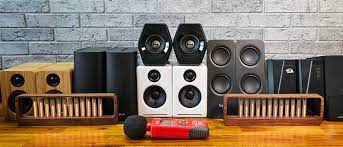
1. Bose Companion 2 Series III:
A classic for PC users. Compact design, easy setup, and clean sound profile — great for both work and entertainment.
2. Logitech G560 LIGHTSYNC:
RGB lighting that reacts to on-screen action and booming bass make it a gamer’s dream setup.
3. Audioengine A2+ Wireless
Premium sound in a small package. Offers both Bluetooth and wired connections for flexibility.
4. Razer Nommo Chroma:
Delivers immersive sound with customizable lighting — ideal for gamers seeking atmosphere.
5. Edifier R1280T:
Affordable yet powerful bookshelf speakers. The wooden design adds a touch of elegance.
6. Creative Pebble V3:
Budget-friendly and USB-powered, these compact speakers surprise you with impressive clarity.
7. Klipsch ProMedia 2.1:
THX-certified with deep bass and clear treble — perfect for home entertainment setups.
8. JBL Quantum Duo:
Designed for gamers, offering directional audio that helps you hear enemies before you see them.
9. Harman Kardon SoundSticks 4:
A visual and sonic masterpiece with transparent design and powerful 2.1 audio.
10. SteelSeries Arena 7:
Modern gaming speakers with subwoofer support, RGB, and DTS surround sound.
How to Choose the Right Speaker for Your Setup:
1. For Gamers:
Look for speakers with surround sound and low latency — Logitech G560 or Razer Nommo Chroma are perfect picks.
2. For Music Lovers:
Focus on frequency response and balance. Audioengine A2+ or Edifier R1280T deliver excellent sound accuracy.
For Movie Enthusiasts;
Go for 2.1 or 5.1 systems like Klipsch ProMedia or Bose setups for cinematic bass and spatial sound.
For Office Use:
Compact and clear options like Creative Pebble V3 are ideal for meetings, calls, and productivity.
Wired vs Wireless Computer Speakers:
Wired speakers offer reliable connections and consistent sound quality.
Wireless speakers, on the other hand, are great for convenience and cleaner setups but can sometimes introduce latency.
Choose based on your workspace and usage habits.
How to Get the Best Sound Quality from Your PC:
- Adjust EQ settings for clarity.
- Use an external DAC for cleaner sound.
- Position speakers properly — at ear level and equidistant from you.
Small tweaks can dramatically improve your overall listening experience.
Budget-Friendly Options That Sound Great:
You don’t need to spend hundreds for great sound.
- Creative Pebble V3
- Logitech Z207
- Edifier R980T
All offer excellent performance for under $100.
The 83% Rule for Speakers Explained:
This rule suggests using only about 83% of a speaker’s maximum volume for optimal performance and to avoid distortion or damage. It’s the sweet spot between loudness and clarity.
Bose vs JBL – Which One’s Better?
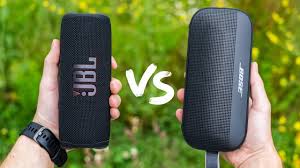
If you prefer clarity and balanced tones, Bose wins.
If you crave punchy bass and vibrant sound, JBL takes the lead.
Ultimately, it depends on your listening style.
How to Tell if a Speaker is High-Quality:
A good speaker will produce:
- No distortion even at high volume
- Clear separation between instruments and vocals
- Solid build with premium materials
If it sounds muddy or crackly, it’s not high quality.
Common Mistakes When Buying Computer Speakers:
- Choosing style over sound quality
- Ignoring compatibility and input options
- Not checking RMS (power output)
- Overpaying for flashy features you won’t use
Maintenance Tips for Long-Lasting Speakers:
- Keep them dust-free
- Avoid exposure to moisture
- Don’t max out the volume for long durations
These simple habits can add years to your speaker’s lifespan.
Frequently Asked Questions:
1. What are the best speakers for PC?
The best PC speakers depend on your desk space, budget, and use case (gaming, music, editing). Look for a good stereo or 2.1 system with clear mids and highs, a controllable bass, and reliable connectivity. Reviews like those from Tom’s Hardware show that even budget 2.0 sets can outperform built-in or generic speakers.
2. Which speaker is best for sound quality?
“Best” for sound quality means minimal distortion, accurate frequency response, and strong build materials. High-quality drivers, cabinet construction, and crossover design all matter.
3. How to get the best quality audio on PC?
Ensure your audio source is high quality (good recording/bit-rate), use a proper DAC or sound card if possible, and pair it with well-positioned speakers or monitors in a treated room. Also, check volume levels to avoid clipping.
4. Which is the No. 1 speaker brand?
There’s no single “No. 1” brand universally — many lists include top names like Bose, JBL, Sonos, and others for different niches. Choose the brand that best matches your needs and budget.
5. What speakers should I buy for my PC?
Start with: desk footprint (2.0 vs 2.1), connectivity (USB, optical, analog), use-case (gaming vs music vs editing), and room size. Then pick speakers with good reviews in those categories. Make sure they match your PC’s output options.
6. Which speaker brand has the best sound quality?
Many brands deliver top sound quality depending on their target market. For example, audiophile brands focus on accuracy, whereas consumer brands might prioritise bass or style. The “best” is what gives you the sound character you prefer under your budget.
7. What is the 83% rule for speakers?
The so-called “83% rule” suggests the distance between your speakers (tweeter-to-tweeter) should be about 83% of the distance from the speakers to your listening position (“X/Y = 0.83”). It’s a guideline for positioning your speakers for a better soundstage.
8. Which is better, Bose or JBL?
Both have strengths: Bose tends toward refined styling and broad consumer appeal, JBL leans toward stronger bass and value in many ranges. “Better” depends on your preferences (sound-signature, budget, connectivity).
9. How to tell if a speaker is high-quality?
Check specs like frequency response, driver quality, cabinet material, reviews of distortion and imaging. Also, audition if possible: good speakers deliver clear mids, defined bass (without boom), and consistent stereo imaging.
10. What to look for when buying computer speakers?
Check your connection types (USB, 3.5mm, optical)
Consider form factor and space constraints
Evaluate the power/volume capability vs your room
Look at driver quality and whether a sub is included if you need bass
Read reviews focusing on sound quality and value
Figure out your budget and don’t overspend on features you won’t use.
Conclusion:
Choosing the best computer speakers can completely transform your digital experience — from immersive gaming sessions to enjoying your favorite playlists or movies in crystal clarity. Whether you prefer the refined sound of Bose, the powerful bass of JBL, or the affordability of Creative, there’s a perfect option for every setup and budget. Focus on balanced sound quality, proper placement, and reliable connectivity to get the most out of your investment. Even small upgrades can make a huge difference in how you experience audio. In the end, the best speakers are the ones that make every sound come alive.
About the Author