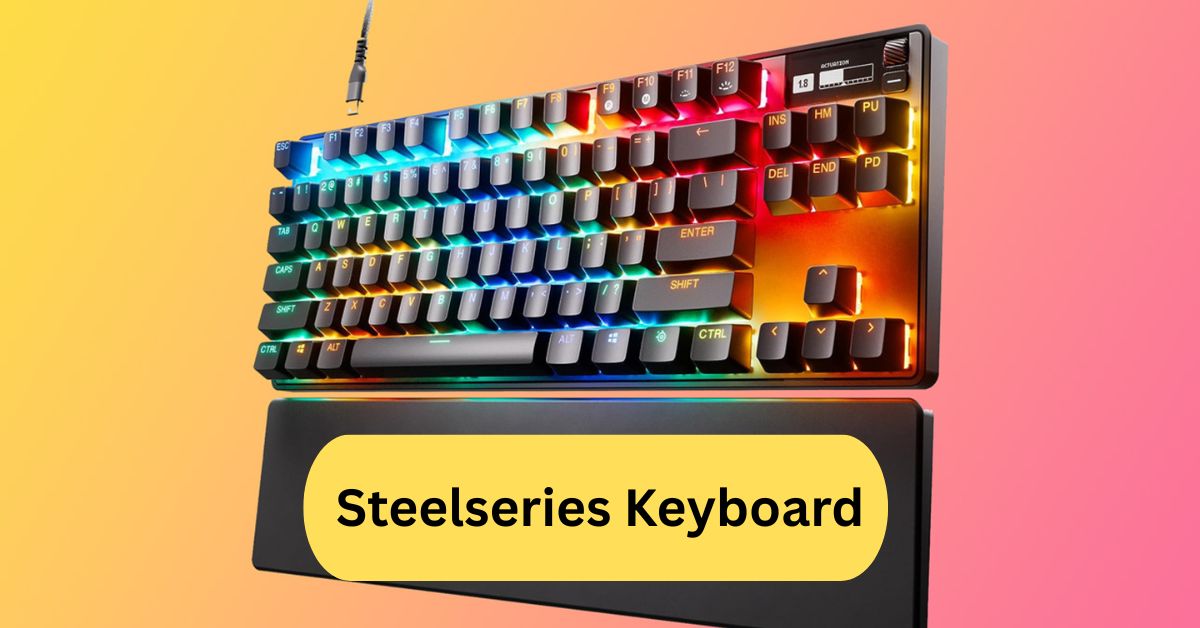
When I first used a SteelSeries keyboard, I immediately noticed how responsive and comfortable it felt. The mechanical switches gave a satisfying click with every press, and the customizable RGB lighting made my setup look amazing. Whether gaming late at night or typing long articles, it always delivered smooth, accurate performance.
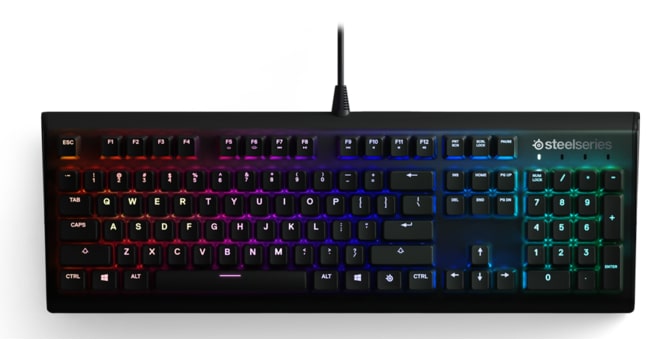
A SteelSeries keyboard is a high-performance gaming keyboard known for its precision, durability, and customizable RGB lighting. It offers fast response times and mechanical switches, making it ideal for both gaming and typing.
In this article we discuss about “Steelseries Keyboard”
Table of Contents
Introduction to SteelSeries Keyboards:
SteelSeries keyboards are a top choice for gamers and productivity enthusiasts alike. Known for their durability, customizable RGB lighting, and smooth typing experience, these keyboards combine technology and design in a way that enhances both gaming and everyday tasks. Whether you’re a professional gamer or someone who types for hours daily, a SteelSeries keyboard is designed to elevate your experience.
History of SteelSeries and Its Keyboards:
1. Founding and Early Innovations:
SteelSeries, founded in Denmark in 2001, started as a small gaming peripherals company. They quickly gained attention for innovative designs, durable materials, and user-friendly features that appealed to gamers looking for reliable equipment.
2. Expansion into Gaming Peripherals:
Over the years, SteelSeries expanded into mice, headsets, and keyboards. Each product line focuses on enhancing performance and comfort, making them a staple in the gaming community.
Why Choose a SteelSeries Keyboard?
1. Build Quality and Durability:
SteelSeries keyboards are built to last. With aircraft-grade aluminum frames and high-quality keycaps, these keyboards are designed to withstand heavy usage, whether for gaming marathons or intensive typing sessions.
2. Mechanical vs. Membrane Keyboards:
SteelSeries offers both mechanical and hybrid keyboards. Mechanical switches provide tactile feedback and faster response, ideal for competitive gaming. Membrane keyboards are quieter and more budget-friendly, suitable for office work or casual gamers.
3. Customization and Software Support:
With the SteelSeries Engine software, users can customize lighting, create macros, and save profiles. This level of personalization ensures that each keyboard can be tailored to individual preferences.
Popular SteelSeries Keyboard Models:
1. SteelSeries Apex Pro:
1. Features of Apex Pro:
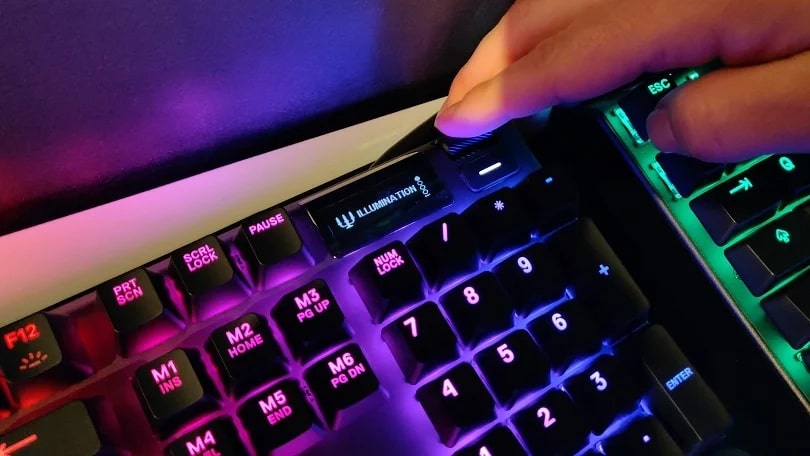
The Apex Pro is a premium keyboard featuring adjustable mechanical switches, per-key RGB lighting, and a sturdy aluminum frame. It also offers an OLED smart display for quick notifications and profile management.
2. Pros and Cons of Apex Pro:
Pros: Adjustable switches, premium build, advanced software.
Cons: Expensive compared to other models.
2. SteelSeries Apex 7:
1. Features of Apex 7:
Apex 7 is a slightly more affordable version of the Apex Pro. It includes mechanical switches, RGB lighting, and a small OLED display, perfect for gamers who want high-end features without breaking the bank.
2. Pros and Cons of Apex 7:
Pros: Excellent build, customizable software, responsive keys.
Cons: No adjustable switches like Apex Pro.
3. SteelSeries Apex 5 and Other Variants:
The Apex 5 and other models cater to gamers looking for hybrid options, blending mechanical feel with membrane switches. These models are budget-friendly but still maintain SteelSeries’ signature quality.
SteelSeries Keyboard Switches Explained:
1. Mechanical Switch Types:
SteelSeries keyboards feature different mechanical switches, including Red, Blue, and OmniPoint. Each switch type offers unique tactile feedback and noise levels.
2. Actuation Force and Key Feel:
Adjustable actuation force in switches like OmniPoint allows users to set the sensitivity of each key, making it ideal for fast-paced gaming or precise typing.
3. Durability and Lifespan:
Most SteelSeries mechanical switches are rated for 50 million keystrokes, ensuring longevity even under heavy use.
Software Features: SteelSeries Engine:
1. Customizing RGB Lighting:
SteelSeries Engine allows per-key RGB customization. Users can create dynamic lighting effects, synchronize with other devices, or match game events with lighting cues.
2. Key Remapping and Macros:
You can remap keys, assign macros, and create complex shortcuts with SteelSeries Engine, improving both gaming performance and workflow efficiency.
3. Cloud Sync and Profiles:
Profiles can be stored in the cloud, making it easy to switch between different setups on multiple computers without losing settings.
Gaming Performance with SteelSeries Keyboards:
1. Response Time and Anti-Ghosting:
SteelSeries keyboards have low latency and anti-ghosting features, ensuring that multiple simultaneous key presses are registered accurately—a must for competitive gaming.
2. Competitive Gaming Benefits:
Fast actuation and reliable switches give players an edge in esports, where every millisecond counts.
Ergonomics and Comfort:
1. Wrist Rest and Key Layouts:
Many models include wrist rests and thoughtfully designed key layouts to reduce strain during long sessions.
2. Long Typing Sessions:
The combination of mechanical switches, ergonomics, and quiet typing options make SteelSeries keyboards comfortable for writing, coding, or gaming marathons.
Maintenance and Cleaning Tips:
1. Removing Keycaps Safely:
Always use a keycap puller to avoid damaging the switches. Clean the keycaps with mild soap and water for the best results.
2. Cleaning Switches and Surface:
Compressed air and soft brushes help keep dust and debris out of switches, ensuring consistent performance.
Comparisons with Other Gaming Keyboards:
1. Corsair Keyboards:
Corsair keyboards are known for durability and RGB lighting, but SteelSeries often offers better software customization and faster response times.
2. Razer Keyboards:
Razer provides flashy designs and excellent switch options. SteelSeries, however, focuses more on ergonomic layouts and precise actuation.
Common Issues and Troubleshooting:
1. Software Glitches:
Occasional software glitches can be fixed by updating SteelSeries Engine or reinstalling drivers.
2. Key Press Problems:
Sticky or unresponsive keys often require cleaning or switch replacement, especially after heavy use.
Buying Guide for SteelSeries Keyboards:
1. Factors to Consider:
Consider switch type, software features, build quality, and price. Gamers should focus on response time and customization options.
2. Price vs. Performance:
Premium models like Apex Pro deliver top-tier performance, while Apex 5 and Apex 7 offer excellent value for money without sacrificing quality.
User Reviews and Experiences:
1. Personal Gaming Experiences:
Many gamers report that SteelSeries keyboards improve reaction times, reduce fatigue, and enhance overall gameplay experience.
2. Typing and Productivity Feedback:
Writers and coders enjoy the tactile feedback and quiet typing experience of mechanical switches, making work sessions smoother and faster.
SteelSeries keyboard software:
SteelSeries keyboards use the SteelSeries GG (Engine) software for customization. It lets you control RGB lighting, create macros, and save game profiles easily. The software also updates firmware and syncs settings across devices for a smooth gaming experience.
Steelseries keyboard apex pro:
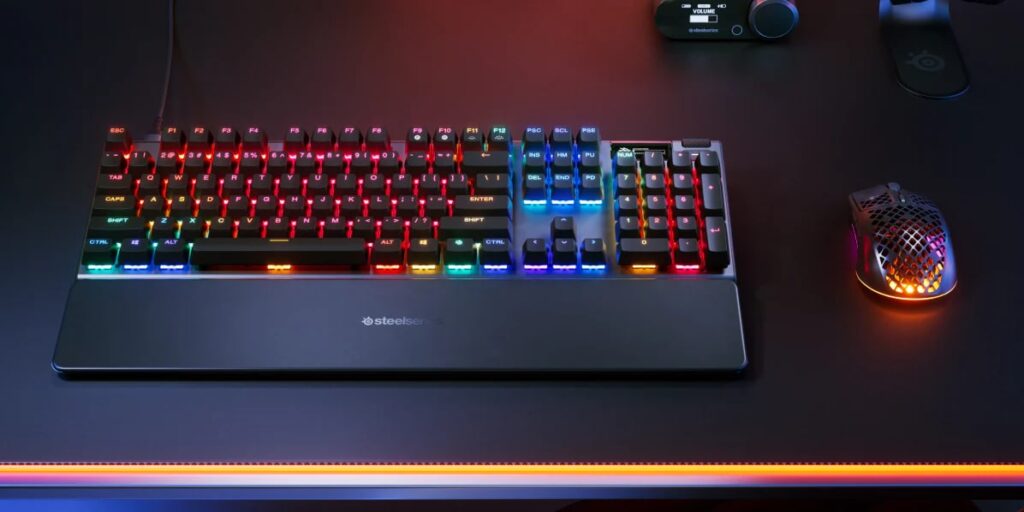
The SteelSeries Apex Pro is a premium gaming keyboard with OmniPoint adjustable switches for customizable key sensitivity. It features an OLED Smart Display, per-key RGB lighting, and a durable aluminum frame. Designed for pro gamers, it delivers top-tier speed, comfort, and performance.
SteelSeries keyboard mechanical:
Mechanical keyboards from SteelSeries deliver true mechanical switches (or hybrid/analog variants) for stronger durability, faster response, and clear tactile feedback. For example, the Apex 7 features an aircraft-grade aluminum frame, per-key RGB, and switches rated for up to 50 million key presses. And with models like the Apex Pro lin,e you get advanced features like adjustable actuation points, meaning you can fine-tune how far you have to press a key for it to register.
Frequently Asked Questions:
1. Is SteelSeries a good keyboard?
Yes, SteelSeries keyboards are known for their excellent build quality, responsive keys, and customizable RGB lighting. They offer smooth performance for both gaming and typing.
2. Is a 60% or 65% keyboard better?
A 65% keyboard is often better if you want compactness with extra keys like arrows, while a 60% keyboard is great for minimal setups. It depends on your comfort and usage needs.
3. Is SteelSeries owned by Apple?
No, SteelSeries is not owned by Apple. It is an independent Danish company specializing in gaming peripherals and accessories.
4. Why is my wireless keyboard not pairing?
Your wireless keyboard might not pair due to low battery, Bluetooth issues, or interference. Try restarting the device, re-pairing it, or checking Bluetooth settings.
5. Is SteelSeries high quality?
Yes, SteelSeries products are considered high quality. They’re designed with durable materials, fast mechanical switches, and reliable performance for gamers.
6. Which brand of keyboard is best?
Top keyboard brands include SteelSeries, Logitech, Razer, and Corsair. Each offers premium options depending on your gaming or typing preferences.
7. Is SteelSeries a Chinese company?
No, SteelSeries is a Danish company founded in Copenhagen, Denmark. However, like many tech brands, its products may be manufactured in Asia.
8. What is the top 1 gaming keyboard?
The top gaming keyboard varies, but models like the SteelSeries Apex Pro and Logitech G915 are often ranked among the best for performance and features.
9. Do pros use SteelSeries products?
Yes, many professional gamers and esports players use SteelSeries keyboards, mice, and headsets for their precision and reliability.
10. What is the highest quality keyboard?
The highest quality keyboards are typically mechanical ones from brands like SteelSeries, Corsair, and Logitech, known for their durability, speed, and customizable features.
Conclusion:
SteelSeries keyboards are a top choice for gamers and professionals alike, offering unmatched precision, durability, and customizable features. With mechanical switches, adjustable actuation points, and robust software support, they provide a seamless experience for both gaming and typing. Premium models like the Apex Pro deliver advanced performance, while other variants balance quality and affordability. Overall, SteelSeries combines innovation, comfort, and reliability, making it a dependable investment for anyone seeking high-performance keyboards.
About the Author