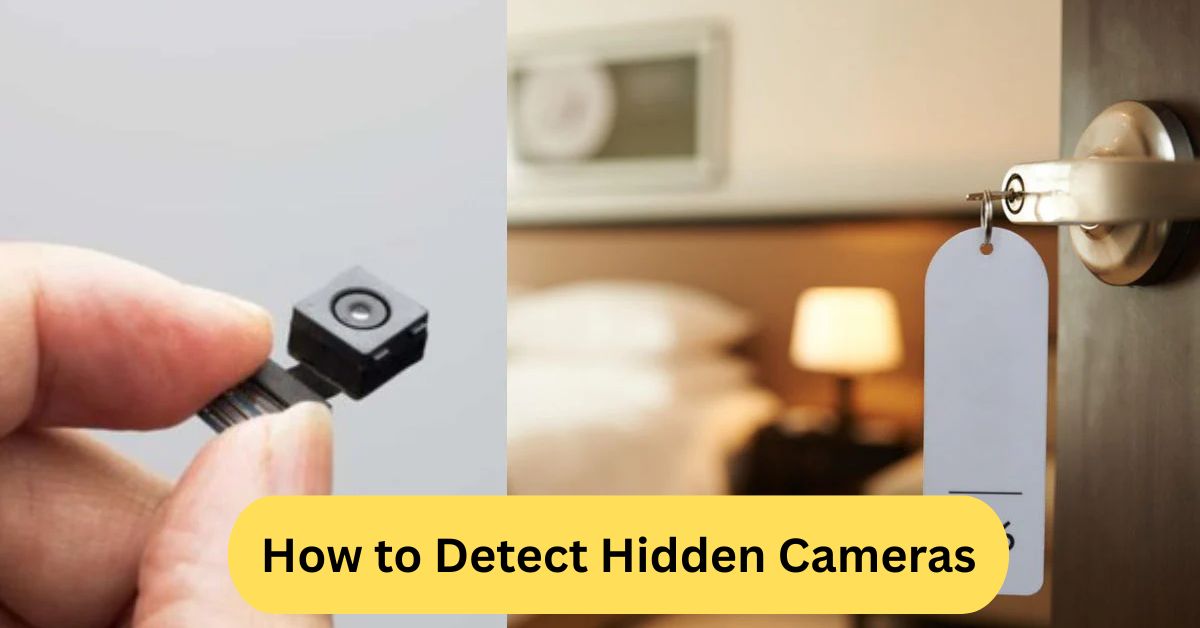
When I once suspected a hidden camera in a guest house, I turned off the lights and used my phone’s flashlight to scan the room. I noticed a small reflection coming from what looked like an air freshener, and it turned out to be a tiny lens. Since then, I have always double-check hotel rooms the same way for peace of mind.
You can detect hidden cameras by scanning the room for unusual objects, tiny holes, or blinking lights. Use your smartphone’s flashlight to check for lens reflections, or try an RF detector to find wireless spy cameras.
In this article we discuss about “How to Detect Hidden Cameras”
Table of Contents
How to Detect Hidden Cameras:
If you’ve ever walked into a hotel room, Airbnb, fitting room, or even a public restroom and felt like someone might be watching, you’re not alone. Hidden cameras are becoming smaller, cheaper, and harder to detect. But don’t worry—you don’t need to be a spy or a tech expert to protect your privacy.
This guide will show you how to detect hidden cameras step by step, using simple methods you can try with your phone, your eyes, and a few tools.
Why Hidden Camera Detection Matters:
Hidden cameras can violate your privacy and may record you without your consent. No one deserves that—not in hotel rooms, vacation rentals, bathrooms, locker rooms, or anywhere else you expect privacy.
People install secret cameras for:
- spying on guests
- blackmailing/privacy invasion
- monitoring employees or nannies illegally
- stealing confidential information
Creepy, right? So let’s make sure you can protect yourself.
Common Places Where Hidden Cameras Are Installed:
1. Hotels and Airbnb Rentals:
Hidden cameras are often disguised as:
- Alarm clocks
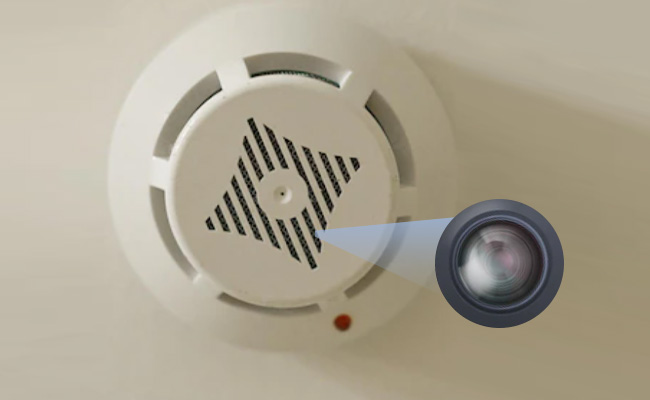
- Smoke detectors
- Picture frames
- Air purifiers
- Charging adapters
Bathrooms & Changing Rooms
2. Hidden cameras may be placed inside:
- Hooks
- Light bulbs
- Body lotion bottles
- Wall tiles or small holes
3. Offices & Meeting Rooms:
Spies may use:
- Pens
- USB chargers
- Plant pots
- Desktop speakers
Types of Hidden Cameras:
1. Wired vs Wireless Cameras:
| Type | How It Works |
| Wired | Connected to storage with cables |
| Wireless Wi-Fi Cameras | Send video online via internet |
| Local SD Card Cameras | Store footage inside the device |
Other Spy Camera Designs:
1. Hidden cameras can be disguised as:
- Clocks
- Smoke alarms
- Sunglasses
- Power banks
- Button cameras on clothes
2. Wi-Fi/Bluetooth Cameras:
These devices broadcast signals and can often be detected with a smartphone network scan.
Signs You Might Be Watched:
1. Watch for these red flags:
- Objects placed strangely or facing private areas
- Small holes in the walls or furniture
- Light flickering or tiny blinking LEDs at night
- Unfamiliar Wi-Fi/Bluetooth devices showing up near you
- Odd wires leading to nothing
Trust your instincts—if something feels off, check it.
Methods to Detect Hidden Cameras:
1. Visual Inspection:
Look closely at anything pointed toward beds, showers, or work desks. Check for:
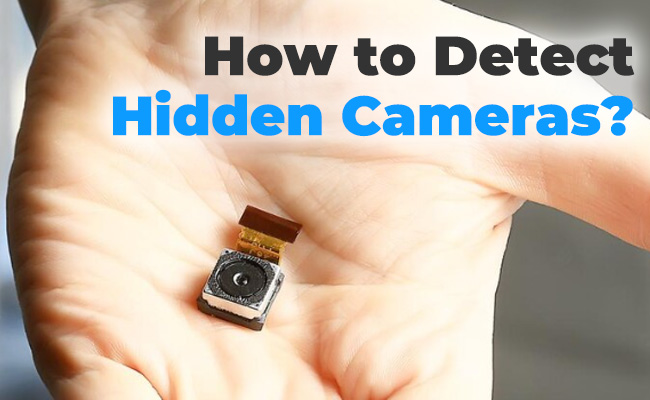
- Tiny pinholes
- Odd reflections on objects
- Holes in ceilings, clocks, or sockets
Use the rule: If it needs power and can see you, inspect it.
2. Use Your Smartphone Flashlight:
Turn off room lights and slowly scan surfaces. A camera lens reflects light like a cat’s eyes in the dark.
3. Use IR (Infrared) Detection:
Many hidden cameras use IR for night vision.
Try this:
- Turn on your phone camera.
- Point a TV remote toward it.
- Press any button.
If you see purple/white light, your camera can detect IR. Scan the room for similar glows.
4. Use RF (Radio Frequency) Detectors:
Wireless cameras emit radio signals. An RF detector can beep when it finds a transmitting device hidden nearby.
5. Wi-Fi Network Scanner Apps:
Use apps like:
- Fing
- Network Analyzer
- WiFi Scanner
Look for device names like:
- IP Camera
- ESP32 / ESP cam
- CamHi / iCam
How to Detect Hidden Cameras with Your Phone:
1. Method 1: Camera Lens Reflection:
Hold the phone flashlight near your eye level and scan the room. A camera lens will shine back.
2. Method 2: Network Scanning:
Open a Wi-Fi scanning app and find unknown devices.
3. Method 3: Detect IR Lights:
Use a front-facing camera to catch invisible IR light from night vision cameras.
How to Detect Wireless Cameras:
1. Bluetooth Tracking:
Search for unknown Bluetooth devices.
2. Router Device List:
Check the router admin panel for unknown devices connected.
Advanced Detection Tools:
- Professional anti-spy sweepers
- Thermal cameras
- Spectrum analyzers
- Lens finders
Legal Considerations:
Secret recording of people without consent is illegal in most countries, especially in:
- Bedrooms
- Bathrooms
- Hotel rooms
- Changing rooms
Notify authorities if you discover a spy device.
What to Do If You Find a Hidden Camera:
DO:
✔ Take photos and videos
✔ Unplug or cover it with a towel
✔ Contact police or property owner
✔ Leave the location if unsafe
DON’T:
✖ Destroy the device immediately
✖ Touch lenses or memory cards unnecessary.
Best Hidden Camera Detector Devices:
| Detector | Best For |
| RF Detector | Wireless camera detection |
| Anti-Spy Lens Finder | Pin-hole camera scanning |
| Network Scanner Device | Wi-Fi spy cameras |
Tips to Stay Safe in Hotels & Airbnbs:
- Check smoke detectors facing the bed
- Cover digital clock lenses
- Unplug suspicious devices
- Scan Wi-Fi for unknown connections
- Use a small portable RF detector
Final Thoughts:
Hidden cameras are becoming increasingly common, but with the right techniques, you can protect your privacy. Always trust your instincts—if something feels off, investigate. You’re not being paranoid; you are being cautious and smart.
Use your phone, your eyes, network scanning apps, and if needed, professional detectors. Your privacy is your right, and you deserve to feel safe wherever you go.
How to detect a hidden camera with a mobile phone:
You can detect hidden cameras with a mobile phone by turning off the lights and using your phone’s flashlight to scan the room for tiny reflections that might come from a camera lens. You can also open your phone’s camera and point it around to spot unusual infrared lights. Additionally, try using a network scanning app to check for unknown connected devices that could be spy cameras.
How to detect hidden cameras in your house:
You can detect hidden cameras in your house by checking for tiny holes, strange objects, or reflections from a camera lens using your phone’s flashlight.
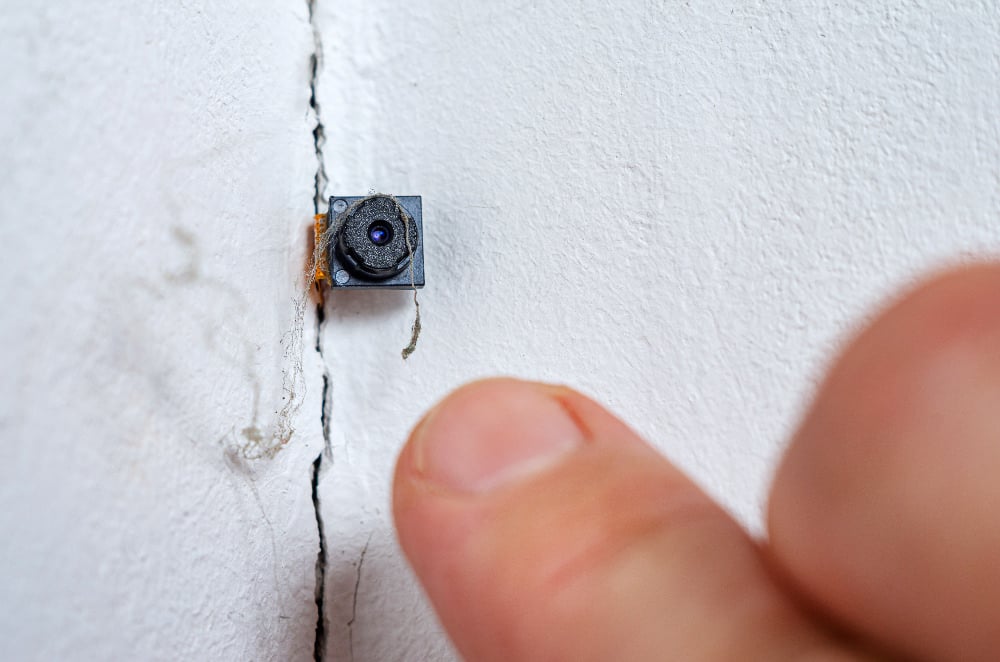
Turn off the lights and scan the room slowly, especially around vents, clocks, picture frames, and smoke detectors. You can also use network scanner apps to find unknown devices or an RF detector to locate wireless spy cameras for extra safety.
Hidden camera detector app:
A hidden camera detector app helps you find spy cameras by scanning for lens reflections, unusual wireless signals (like Wi-Fi or Bluetooth), or infrared light. Some apps also perform network scans to spot unfamiliar devices on your Wi-Fi. While they can be useful, they’re not foolproof — professional detectors are more reliable.
Frequently Asked Questions:
1. Can a cell phone detect a hidden camera?
Yes, sometimes a phone can detect hidden cameras using its flashlight to spot lens reflections or apps that scan for network or infrared signals.
2. How do you detect if there is a hidden camera?
Look for tiny holes or strange objects, use your phone flashlight to catch reflections, scan Wi-Fi for unknown devices, or use a camera detector.
3. How can you tell if a camera is watching you?
Check for small lights, reflections, or clicking sounds, and see if any device is pointed toward private areas.
4. Do hidden camera detectors really work?
Yes, they can work by detecting wireless signals or hidden lenses, but they may not catch every type of spy camera.
5. Will a hidden camera show up on Bluetooth?
Some wireless cameras may appear on Bluetooth, but many use Wi-Fi, RF signals, or SD cards, so not all will show up.
6. How to check if hidden camera in room with phone?
Turn off lights and shine your phone flashlight to look for reflections, or use apps that scan for suspicious devices.
7. Which app is best for detecting hidden cameras?
Apps like Hidden Camera Detector, Fing Network Scanner, and Glint Finder can help, but results may vary.
8. What devices detect hidden cameras?
RF detectors, infrared scanners, network analyzers, and lens detection tools can be used.
9. Can I use my smartphone to detect hidden listening devices?
Yes, some apps can detect unusual wireless signals, but professional bug detectors are more accurate.
10. Are hidden cameras legal to use?
It depends on the laws, but recording people in private spaces without permission is generally illegal.
Conclusion:
Hidden cameras are a growing concern in hotels, rentals, offices, and even private homes, but with the right methods, you can protect your privacy. A careful visual inspection, your smartphone’s flashlight, and network or RF detection tools can help you spot suspicious devices. Always trust your instincts—if something feels strange or out of place, take the time to investigate. Remember that recording someone without consent is illegal in most countries, especially in areas where privacy is expected. By staying aware and using the techniques in this guide, you can ensure a safer and more secure environment wherever you go.
About the Author





