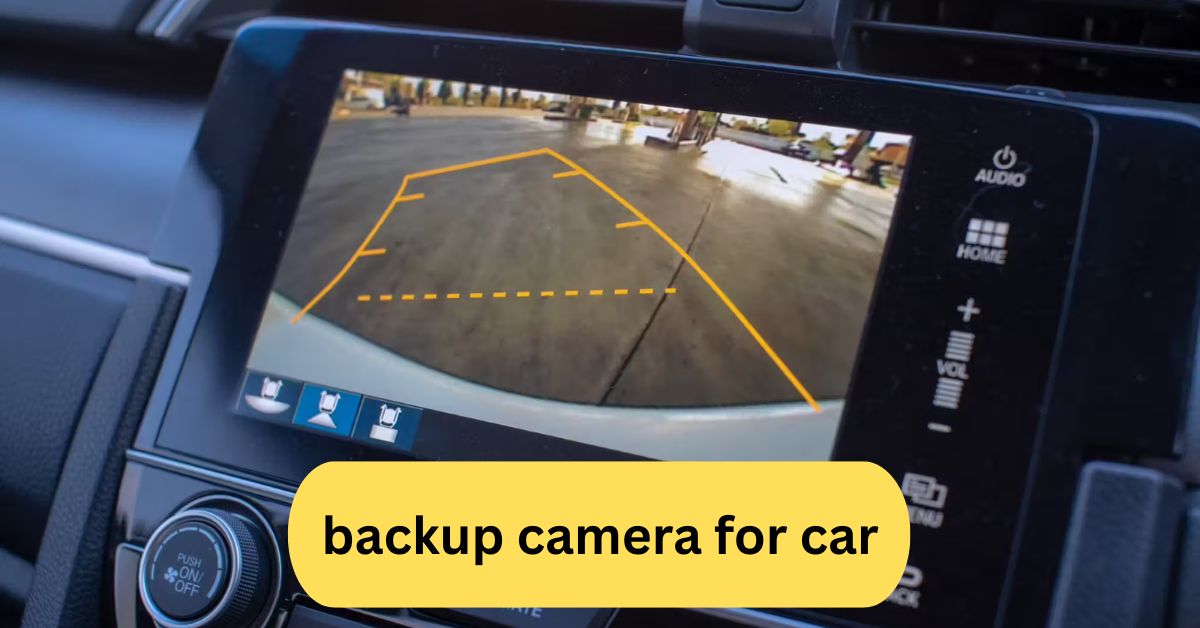
I installed a backup camera in my car, and it completely changed how I park. Before, I often struggled with tight spaces, but now the wide-angle view makes reversing stress-free. It gives me confidence, especially at night or in crowded areas, since I can clearly see obstacles I would’ve missed in my mirrors.
A backup camera for a car is a rearview safety device that helps drivers see blind spots while reversing, reducing the risk of accidents. It usually comes with a wide-angle lens and a dashboard display or mirror screen, making parking and reversing safer and easier.
In this article we discuss about “Backup Camera For Car”
Table of Contents
Introduction:
Reversing your car shouldn’t feel like guesswork. Backup cameras take away the stress, give you confidence, and keep everyone around you safer. Whether you’re navigating a busy parking lot, backing into your driveway, or trying to avoid that trash can hiding behind your bumper, a backup camera makes life on the road much easier.
Why Backup Cameras Have Become Essential:

Cars are getting bigger, roads are getting busier, and drivers need more support than ever. Backup cameras are now standard in most modern cars because they tackle one of the biggest problems—limited visibility when reversing. In fact, many insurance companies even encourage their use since they reduce accidents and claims.
How Backup Cameras Improve Driving Confidence:
Have you ever second-guessed yourself while backing into a spot? A backup camera removes that doubt. The live feed acts like a “second pair of eyes,” helping you judge distance more accurately. It’s like having a friend outside your car guiding you, only better because the camera never blinks.
Advanced Features You Should Consider:
1. Split-Screen View:
Some cameras allow you to split the screen and see multiple angles at once. Perfect for bigger vehicles.
2. Recording Capability:
High-end models double as dash cams, recording what happens behind you for extra security.
3. Integration with Mobile Apps:
Certain wireless cameras can send the video feed directly to your smartphone.
4. AI Object Detection:
Some models use artificial intelligence to highlight pedestrians, cyclists, or moving objects, giving you an extra layer of awareness.
Best Situations Where Backup Cameras Shine:
1. Tight City Parking:
If you live in the city, a backup camera makes parallel parking less stressful.
2. Reversing in Poor Lighting:
Night vision cameras keep things clear even in dimly lit areas.
3. Driving Larger Vehicles:
SUVs, vans, and trucks benefit most since their blind spots are bigger.
4. Protecting Kids and Pets:
Backup cameras are lifesavers in residential areas where children play or pets wander.
Backup Camera Installation Tips:

If you’re considering DIY installation, here are some useful tips:
- Choose the right mounting position (above the license plate or bumper).
- Secure wiring with protective tubing to prevent damage.
- Always test the system before finalizing installation.
- Watch out for drilling—measure twice, drill once!
If DIY sounds overwhelming, professional installers can handle it for you in under two hours.
The Cost Breakdown of Backup Cameras:
Backup cameras vary in price depending on features:
- Basic models: $40–$80 (wired or wireless, standard view).
- Mid-range models: $100–$200 (HD video, night vision, waterproof).
- Premium models (360° vision, AI detection, recording capability) cost $250+.
- Installation costs: $75–$150 if done professionally.
Considering the average bumper repair costs between $500–$1,500, investing in a camera makes financial sense.
Maintaining Your Backup Camera:
Like any other car accessory, backup cameras need maintenance to work properly.
- Clean the lens regularly, dust, mud, and rain can blur the image.
- Check for loose connections, especially after bumpy rides.
- Update firmware, if your model supports smart features.
- Protect it from harsh weather,use waterproof models if you live in rainy or snowy areas.
Backup Camera vs. 360-Degree Surround View:
While a single backup camera covers what’s behind you, 360-degree systems stitch together feeds from multiple cameras, giving you a bird’s-eye view of your car. These are amazing for parking in tight spots, but come at a higher price.
The Future of Backup Cameras:
The future looks futuristic (pun intended). Expect cameras with:
- AI-powered alerts for moving objects.
- Integration with autonomous driving for self-parking cars.
- Augmented reality (AR) overlays that show distances in real-time.
- Wireless solar-powered models that need no wiring at all.
Tips for First-Time Backup Camera Users:
- Don’t rely solely on the camera—still use mirrors for maximum safety.
- Practice in a vacant lot to become familiar with the rules.
- Adjust brightness settings for night driving.
- Get used to judging distances on-screen vs. real life.
Why Every Driver Should Have One:
At the end of the day, a backup camera is more than just convenience—it’s about safety. It saves you from accidents, repairs, and stress. Whether you’re a new driver or a seasoned pro, it adds confidence every time you shift into reverse.
Backup camera for car installation:
A backup camera for car installation helps drivers see blind spots behind their vehicle, making parking and reversing much safer. It can be installed professionally or as a DIY project, depending on the camera type (wired or wireless).
Most modern systems integrate with your car’s display or come with a separate screen. Installing one is a smart upgrade for both safety and convenience.
Wireless backup camera for car:
A wireless backup camera for cars provides clear rear visibility without the need for complex wiring. It connects to a monitor or smartphone via Wi-Fi or Bluetooth, making installation quick and hassle-free. These cameras enhance safety by reducing blind spots and are especially useful for parking in tight spaces.
Backup Camera with Monitor:
A backup camera with a monitor provides real-time rear visibility, helping drivers park and reverse safely. The camera is mounted at the back of the vehicle, while the monitor is placed on the dashboard or mirror for a clear view. It reduces blind spots, prevents accidents, and makes parking in tight spaces much easier.
Best backup camera for Car:
The best backup camera for cars combines clear night vision, wide-angle viewing, and easy installation. Popular options include the AUTO-VOX CS-2 for wireless convenience, LeeKooLuu LK3 for budget-friendly reliability, and the Garmin BC 40 for smart features. Choose based on your car type, budget, and whether you prefer a wired or wireless system.

Wireless Backup Camera for Truck:
A wireless backup camera for trucks provides a clear rear view without the need for complicated wiring. It connects via Wi-Fi or Bluetooth to a monitor or smartphone, making installation quick and hassle-free. These cameras improve safety by reducing blind spots, especially useful when reversing large vehicles. Many models also offer night vision and wide-angle views for better visibility.
Backup camera for car with Screen:
A backup camera for car with a screen provides a clear rear view on a built-in display, making parking and reversing much safer. Many models come with wide-angle lenses, night vision, and grid lines to guide you. The screen is usually mounted on the dashboard or integrated into the rearview mirror, giving drivers a convenient and reliable way to avoid blind spots.
Frequently Asked Questions:
1. How much does it cost to put a backup camera in your car?
The cost ranges from $100–$500. Basic cameras are cheaper, while advanced systems with parking sensors or integration with the infotainment screen are on the higher end.
2. What is the best backup camera for cars?
Top-rated models include the AUTO-VOX CS-2 (wireless), Garmin BC 40, and LeeKooLuu LK3. They offer clear video, night vision, and easy installation.
3. Can you add a backup camera to any car?
Yes, almost any vehicle can be fitted with a backup camera using wired or wireless aftermarket kits, even if it didn’t originally come with one.
4. What is the difference between a backup camera and a rear view camera?
A backup camera activates only when reversing, while a rear-view camera can provide a continuous feed, sometimes doubling as a dashcam.
5. Can Best Buy install a backup camera?
Yes, Best Buy offers professional installation services, and Geek Squad can integrate it into your vehicle’s existing display or provide a standalone monitor.
6. Is adding a backup camera worth it?
Absolutely—it increases safety, prevents accidents, and makes parallel parking and reversing into tight spaces much easier.
7. Can a dealership install a backup camera?
Yes, many dealerships can install OEM (original) or aftermarket cameras, though prices are usually higher than third-party installers.
8. How hard is it to install a backup camera?
Wired systems require some knowledge of car wiring, while wireless cameras are much easier to install and often just need mounting and pairing.
9. How much to get a reverse camera installed?
Labor costs range from $75–$200. A simple wireless install is cheaper, while integrating into the infotainment system costs more.
10. Do cars legally need a backup camera?
Yes, in the U.S., Canada, and several other countries, all new vehicles after May 2018 must have them, but older models don’t require retrofitting.
Conclusion:
A backup camera is more than just a modern convenience—it’s a crucial safety feature that makes reversing easier, prevents costly accidents, and protects lives. Whether you choose a basic model or a high-tech system, it adds confidence every time you drive. With options for every budget and vehicle type, installing a backup camera is one of the smartest upgrades you can make. Ultimately, it’s an investment in safety, peace of mind, and stress-free driving.
About the Author





