When I started using a photo printer, I was amazed by how vibrant and detailed my pictures looked on paper. Printing my favorite shots at home felt satisfying and professional. It gave me full control over colors and paper quality, making each photo feel special.
The best photo printer delivers sharp, vibrant, and true-to-life prints with smooth color gradation. Models like the Canon PIXMA PRO-200 or Epson EcoTank ET-8550 are top choices for their professional-quality output and cost-efficient printing.
In this article we discuss about “Best photo printer”
Table of Contents
Introduction:
Ever printed a photo that looked stunning on your screen but dull on paper? I’ve been there. That’s where a photo printer changes everything. These specialized printers capture fine details, vibrant colors, and lifelike tones, making your pictures pop just like professional prints. Whether you’re an amateur photographer, a creative hobbyist, or someone who loves preserving memories, investing in the best photo printer can completely transform your printing experience.
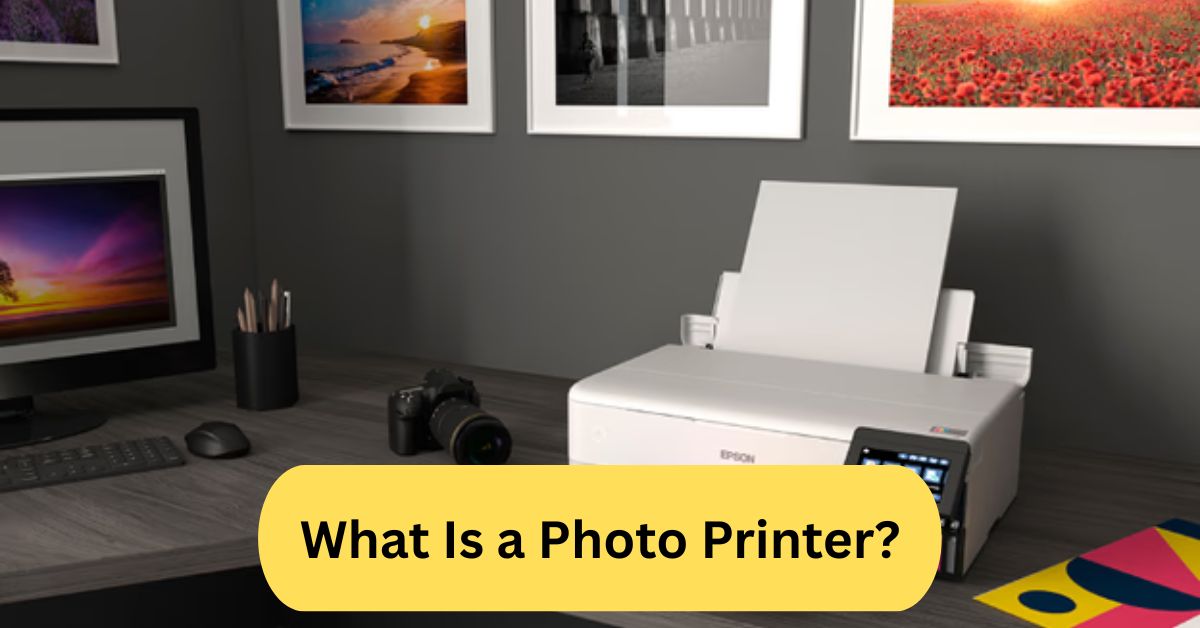
What Is a Photo Printer?
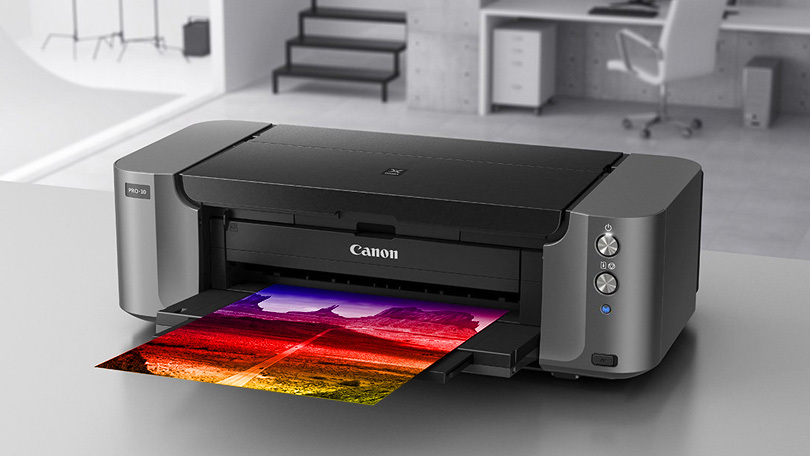
A photo printer is a printer specifically designed to produce high-quality, color-accurate photo prints. Unlike standard office printers, photo printers use advanced ink systems and optimized paper feeding to ensure every image has sharp detail and smooth color gradations. Some are compact for instant prints, while others are large-format printers suitable for professional-grade photography.
Why You Need a Dedicated Photo Printer:
Having a dedicated photo printer isn’t just about convenience—it’s about quality control. You get:
- Better color accuracy and tonal depth.
- Freedom to print anytime, without depending on labs.
- Long-lasting, smudge-resistant prints.
- Cost savings over time if you print often.
If you’re passionate about photography or creative work, a photo printer is an invaluable tool.
Types of Photo Printers:
1. Inkjet Photo Printers:
Inkjet models are the most common and versatile. They use liquid ink sprayed through tiny nozzles to create detailed and vivid images. These printers can handle different paper sizes and types, from glossy to matte.
2. Dye-Sublimation Printers:
Known for their smooth gradients and rich colors, dye-sub printers use heat to transfer dye onto photo paper. They’re popular for event printing or ID cards, producing lab-quality photos in seconds.
3. Portable Photo Printers:
Compact and battery-powered, portable printers are ideal for instant printing from your smartphone. Think of them as modern Polaroids—perfect for parties, travel, and quick photo sharing.
Key Features to Look for in the Best Photo Printer:
1. Print Resolution:
Measured in DPI (dots per inch), higher resolution means sharper prints. Aim for at least 4800 x 1200 DPI for professional-quality photos.
2. Ink Quality and Type:
Choose printers with multiple ink cartridges (six or more). This allows better color gradation and richer tones. Pigment-based inks last longer, while dye-based inks give brighter colors.
3. Connectivity Options:
Modern printers support Wi-Fi, Bluetooth, USB, or cloud printing. For mobile users, compatibility with apps like AirPrint or Google Cloud Print makes life easier.
4. Print Size Compatibility:
Some printers are limited to 4×6 prints, while others support large-format sizes like 13×19 inches. Pick one based on your usage.
5. Speed and Efficiency:
If you print in bulk, choose a printer with faster output without sacrificing quality. Check the cost per print too—it adds up over time.
Top Benefits of Owning a Photo Printer:
- Instant printing freedom.
- Professional-grade photo quality at home.
- Long-lasting, fade-resistant results.
- Ability to experiment with paper types and finishes.
- Great for gifts, scrapbooks, or business projects.
Best Photo Printer Brands in 2025:
1. Canon:
Canon is a market leader in photo printing, offering sharp color reproduction and borderless printing. Its PIXMA and SELPHY lines are particularly popular.
2. Epson:
Epson’s EcoTank and SureColor printers are loved by pros for their pigment inks, which deliver deep blacks and fine detail. Plus, refillable ink tanks reduce long-term costs.
3. HP:
HP focuses on user-friendly designs with smart app integration. The Envy and Tango series blends great print quality with sleek aesthetics.
4. Kodak:
Kodak offers compact, affordable options for casual users. Their dye-sublimation printers are fun for quick, high-quality prints.
5. Fujifilm:
Fujifilm shines with its Instax series—perfect for instant, retro-style photo printing straight from your smartphone.
Top 5 Best Photo Printers in 2025:
1. Canon PIXMA PRO-200:
Perfect for serious photographers, it delivers vibrant colors, supports A3+ sizes, and connects easily via Wi-Fi or Ethernet.
2. Epson EcoTank ET-8550:
This printer offers professional quality and ultra-low running costs thanks to refillable ink tanks. It handles photos up to 13×19 inches with rich color accuracy.
3. HP Envy Inspire 7955e:
Great for home and small office use, it prints detailed photos and integrates seamlessly with HP’s smart app.
4. Fujifilm Instax Mini Link 2:
Compact and portable, this printer connects via Bluetooth to your smartphone and prints instant mini photos with a nostalgic touch.
5. Canon SELPHY CP1500:
A top choice for travelers—it’s lightweight, wireless, and produces lab-quality photos that resist fading for decades.
How to Choose the Right Photo Printer for You:
1. For Home Use:
If you print family photos or crafts, choose a compact inkjet printer like the Canon PIXMA TS8320.
2. For Professional Photography:
For exhibitions or client work, go with large-format, pigment-ink models like the Epson SureColor P900.
3. For On-the-Go Printing:
Need quick prints at events or trips? The Fujifilm Instax or Kodak Step Printer is perfect.
Photo Printer vs Regular Printer:
While regular printers can print photos, they lack the precision of photo printers.
| Feature | Regular Printer | Photo Printer |
| Ink Type | Standard CMYK | Multi-ink (up to 12 colors) |
| Resolution | 1200 DPI | Up to 9600 DPI |
| Paper Support | Plain and light cardstock | Glossy, matte, luster, fine art |
| Color Accuracy | Moderate | Professional-grade |
| Cost per Print | Lower | Slightly higher but better quality |
How to Get the Best Print Quality:
- Use high-resolution images (300 DPI or higher).
- Choose the correct paper profile in printer settings.
- Calibrate your monitor for color accuracy.
- Use genuine ink cartridges.
- Let the prints dry completely before handling.
Common Mistakes to Avoid:
- Using cheap, low-quality paper.
- Ignoring maintenance cycles.
- Over-editing photos before printing.
- Storing prints in humid environments.
- Forgetting to clean the printer nozzles regularly.
Maintenance Tips for Longevity:
- Run a nozzle check once a month.
- Keep your printer covered when not in use.
- Avoid letting cartridges dry out.
- Use it regularly to prevent ink clogging.
- Store paper properly to prevent moisture damage.
My Personal Experience with a Photo Printer:
When I bought my Epson EcoTank ET-8550, I didn’t expect it to impress me this much. My landscape photos looked exactly how I imagined—vibrant, detailed, and professional. Printing from my phone was effortless, and the ink savings alone made it worth every penny. Now, I can print whenever inspiration strikes, without relying on photo labs.
Best photo printer:
For outstanding home photo printing, go with a model that offers superb colour accuracy, supports photo-specific paper sizes, and keeps the cost per print reasonable. For example, the Canon imagePROGRAF PRO-310 leads in quality for serious prints, while the Epson EcoTank ET-8550 balances great image output with lower running costs.
Best portable photo printer:
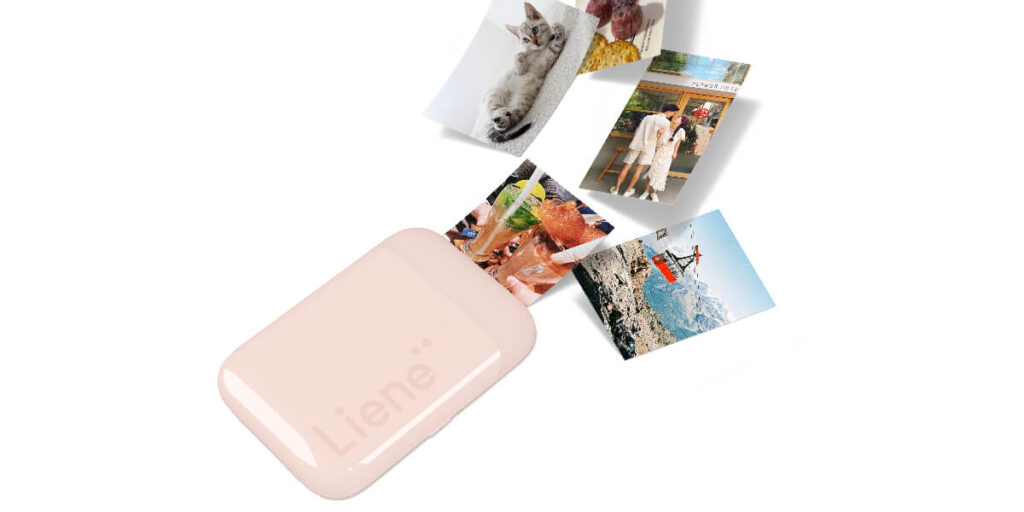
A great portable photo printer is compact, wireless, and prints high-quality photos quickly from your phone. For example, the Xiaomi Mi Portable Photo Printer uses ZINK inkless technology and Bluetooth for instant 2 × 3″ photos.
Best photo printer for photographers:
For photographers seeking gallery-worthy results, pick a photo printer with a pigment-based ink system, wide colour gamut, and support for large fine-art paper sizes. Models like the Epson SureColor P900 are highlighted for their exceptional colour accuracy and print fidelity.
Also look for features like thick-media handling, custom colour profiles, and long-term print stability so your images look as good on paper as they do on screen.
Frequently Asked Questions:
1. What is the best photo printer for home use?
For home use, a photo printer that delivers excellent colour accuracy, handles photo-specific paper types, and has manageable running costs is key. For example, one review named the Canon PIXMA G620 as a top all-rounder for most hobbyists.
2. What printer brand is best for photos?
Brands like Canon and Epson are seen as leading for photo print quality—Canon for colour fidelity and Epson for high-volume/photo-specific features. Many testers prefer Epson when printing many photos cost-effectively.
3. What printers can print high-quality photos?
High-quality photo printing typically comes from inkjet printers designed for photos (with multiple colour cartridges, support for thick/glossy photo papers, and fine resolution). For example, specialist models like the Canon imagePROGRAF PRO-310 achieve very high fidelity.
4. What kind of printer do professional photographers use?
Professionals often use large-format inkjet printers (sometimes 17″ or wider), pigment-based inks (for longevity and colour accuracy), and media support for fine-art papers. For example, models such as the Epson SureColor P900 or Canon imagePROGRAF Pro-1000 are recommended.
5. Is Canon or Epson better for photos?
It depends on your priorities: Canon often leads in colour accuracy and photo-specific features, while Epson offers cost-effective models with great media support and ink savings for high volume. Check specific models rather than the brand alone.
6. Which is better, an inkjet or a laser printer for photos?
For photo printing, inkjet printers are generally better—they handle glossy/photographic papers, blend colours finely and deliver richer gradations of tone. Laser printers excel at text and documents but are less suited for high-quality photo output.
7. What printer should I buy to print photos?
Choose a model that: supports photo-quality paper/types (glossy, matte, thick), has good colour accuracy and resolution, meets your print volume/budget for ink, and fits your size/space needs. For home use, an “all-rounder” photo inkjet is a safe pick.
8. What do professional photographers use to print their photos?
They use high-end inkjet printers with pigment inks, wide format capacity, advanced colour management (e.g., custom profiles), and high-quality papers (fine art or gallery-grade) to ensure prints hold up over time and meet gallery/portfolio standards.
9. How can I print high-quality photos at home?
To achieve high quality: use good photo paper (glossy or matte), calibrate your monitor and printer colour profile, use the highest print resolution your printer supports, and allow your printer to dry/settle before framing. Also, avoid cheap ink/paper combinations that may degrade.
10. How do I choose a photo printing machine?
Assess your needs: print size (4×6, A4, A3+), volume (just a few prints vs many), budget (both purchase and ink/paper costs), space (desktop vs wide format), and quality expectations (casual snapshots vs gallery prints). Then compare models based on colour fidelity, media support, and operating cost.
Conclusion:
Investing in the best photo printer transforms how you experience photography—bringing your digital memories to life with stunning clarity and vibrant color. Whether you’re printing family photos, creative projects, or professional portfolios, the right printer ensures every detail shines through. With today’s advanced models from Canon, Epson, and HP, you can achieve lab-quality results right from home. The key is choosing a printer that fits your printing goals, paper preferences, and budget. Once you do, you’ll enjoy the freedom and satisfaction of creating high-quality prints anytime you want.
About the Author