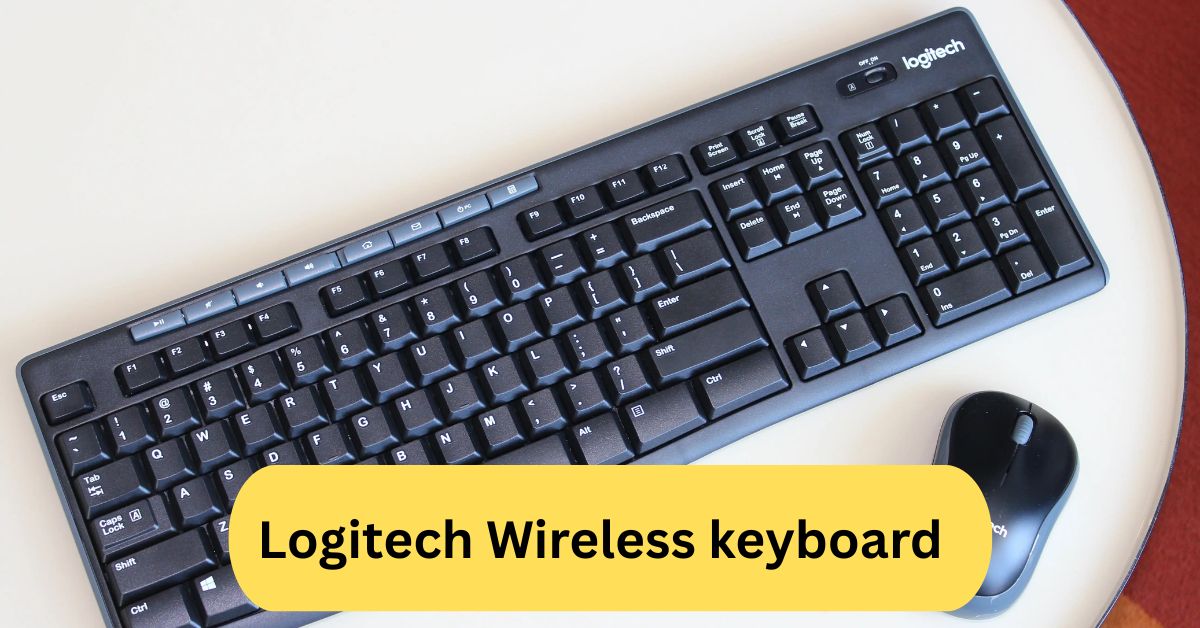
When I started using my Logitech wireless keyboard, I immediately noticed how comfortable it felt during long typing sessions. The keys are soft yet responsive, and I love the clutter-free desk setup without tangled wires. It’s been one of my best tech upgrades.
I’ve been using a Logitech wireless keyboard, and it’s incredibly reliable and comfortable. The keys feel smooth and responsive, and the wireless connection is strong with no lag. It’s perfect for both work and casual use.
In this article we discuss about “Logitech Wireless keyboard”
Table of Contents
Introduction:
In today’s digital age, a reliable keyboard is as essential as the computer itself. Whether you’re typing up reports, gaming online, or managing smart devices, Logitech wireless keyboards have earned a top spot among users who crave both performance and freedom from tangled cables. Logitech has mastered the art of merging innovation with comfort, making its wireless keyboards the gold standard for professionals and casual users alike.
What Makes Logitech Wireless Keyboards Stand Out:
1. Premium Build and Design:
Every Logitech keyboard is designed with user comfort and durability in mind. The combination of soft-touch keys, robust materials, and a sleek layout ensures a satisfying typing experience for hours on end.
2. Seamless Wireless Connectivity:
Logitech’s wireless technology eliminates lag, ensuring instant response times. You can connect via Bluetooth or the Logitech Unifying Receiver, which allows multiple devices to connect to a single dongle.
3. Battery Efficiency:
Many Logitech keyboards boast impressive battery lives — some lasting up to 3 years on a single AA battery! Others, like the MX Keys, feature rechargeable batteries that provide weeks of use per charge.
Types of Logitech Wireless Keyboards:
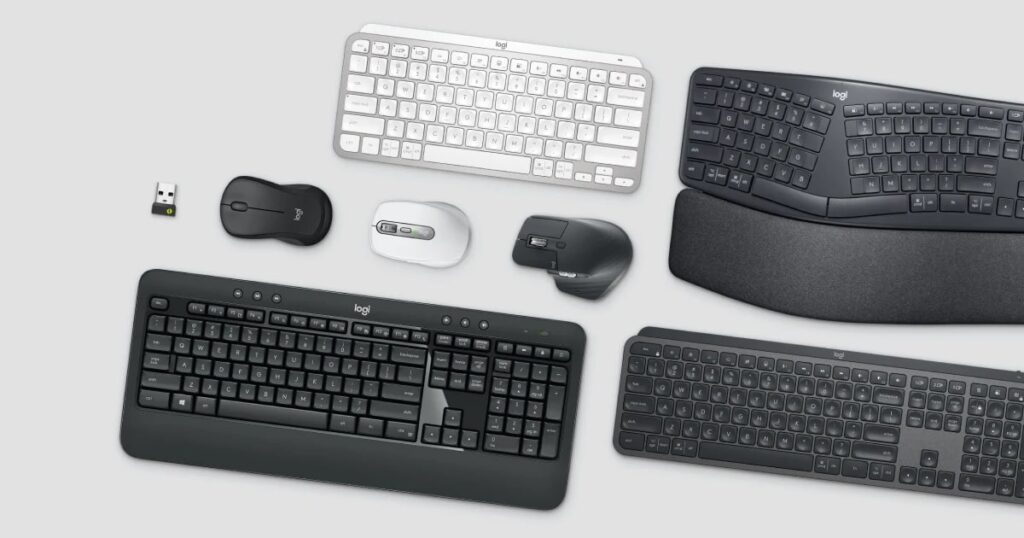
1. Standard Wireless Keyboards:
Ideal for everyday office work and home use. Models like the K270 and MK270 Combo offer full-size layouts with dedicated function keys and a numeric keypad.
2. Mechanical Wireless Keyboards:
For gamers and enthusiasts, Logitech’s G915 Lightspeed and G613 deliver the tactile feedback and fast response that mechanical keyboards are known for — without the wires.
3. Compact and Portable Keyboards:
Models such as the Logitech K380 and MX Keys Mini are perfect for travel or minimalist desk setups. Despite their smaller size, they maintain excellent typing comfort and performance.
4. Ergonomic Keyboards:
The Logitech Ergo K860 features a split design that reduces wrist strain, promoting better posture and long-term comfort for heavy typists.
Best Logitech Wireless Keyboard Models:
1. Logitech MX Keys
Known for its premium typing feel, the MX Keys offers smart backlighting, seamless multi-device switching, and a solid metal frame that exudes quality.
2. Logitech K380
A compact, budget-friendly option ideal for students and travelers. It can connect up to three devices at once and switch between them with a single button.
3. Logitech K780
A versatile keyboard with a built-in cradle for smartphones and tablets. It’s a favorite among multitaskers who work across multiple screens.
4. Logitech G915 TKL
This gaming powerhouse offers low-profile mechanical switches, customizable RGB lighting, and a lag-free Lightspeed connection.
5. Logitech Ergo K860
A top choice for ergonomic design, featuring a curved keyframe and plush wrist rest for maximum comfort during long typing sessions.
Design and Build Quality:
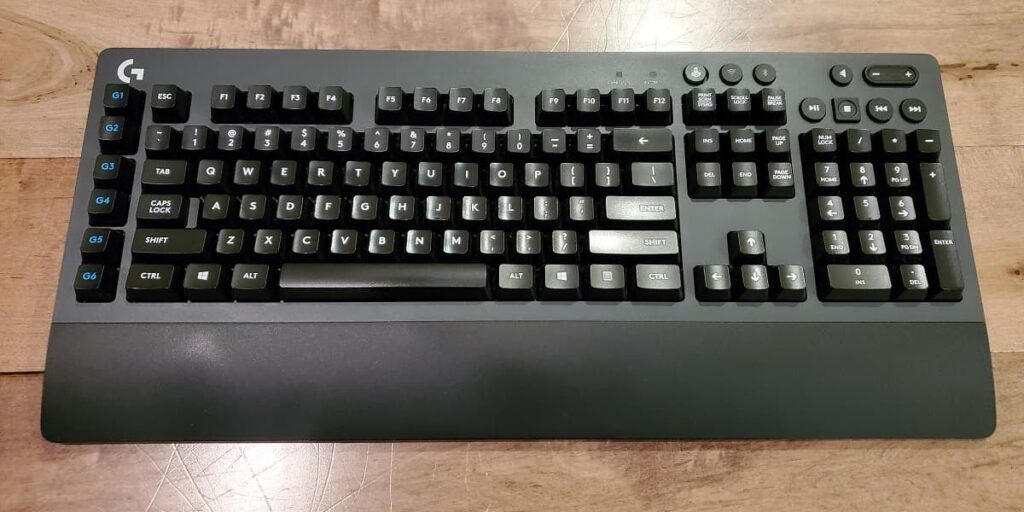
Logitech’s attention to design is unmatched. Each model combines aesthetics with functionality, offering lightweight yet durable frames. From slim bezels to premium finishes, these keyboards add elegance to any workspace.
Connectivity and Compatibility:
1. Bluetooth and USB Receiver Options:
Most Logitech wireless keyboards support dual connectivity, meaning you can use either Bluetooth or the included USB receiver.
2. Multi-Device Pairing:
Switch between a laptop, tablet, or smartphone with a single tap using the Easy-Switch keys found on many models.
3. Cross-Platform Support:
Whether you’re a Windows, macOS, Android, or iPadOS user, Logitech keyboards ensure smooth integration and intuitive key layouts for each platform.
Typing Experience:
Typing on a Logitech keyboard feels natural, responsive, and quiet. The scissor-switch mechanism provides a perfect balance between softness and precision, making it ideal for both work and play.
With the Logitech Options+ software, users can customize key functions, create shortcuts, and tailor the keyboard’s behavior to fit their workflow.
Battery Life and Charging:
Depending on the model, Logitech offers two power options — rechargeable and replaceable batteries. The MX series supports USB-C recharging, while models like the K270 use long-lasting AA batteries.
Smart power management automatically turns off the keyboard when idle, conserving energy for longer use.
Logitech’s Unifying Receiver Explained:
The Logitech Unifying Receiver is a small USB dongle that can connect up to six compatible devices simultaneously — including mice, keyboards, and trackpads. This saves USB ports and simplifies device management.
To pair devices, simply open the Logitech Unifying software and follow the on-screen instructions.
Gaming with Logitech Wireless Keyboards:
The Logitech G-series is built for serious gamers who demand lightning-fast response times. Models like the G915 TKL use Lightspeed wireless technology to deliver performance on par with wired keyboards.
Features such as RGB backlighting, macro customization, and dedicated media keys add to the immersive experience.
Ergonomics and Comfort:
Typing for long hours can strain your wrists and shoulders. Logitech addresses this with ergonomic designs like the Ergo K860, which features a curved layout and cushioned palm rest to promote a natural typing position.
Setup and Pairing Process:
- Turn on your Logitech keyboard.
- Press the Bluetooth or Easy-Switch button to activate pairing mode.
- On your device, go to Bluetooth settings and select your Logitech keyboard from the list.
- Enter the pairing code if prompted — and you’re good to go!
If you’re using the Unifying Receiver, simply plug it in, and the keyboard should connect automatically.
Maintenance and Cleaning Tips:
To maintain performance, gently clean the keys with a soft brush or microfiber cloth. Avoid liquid cleaners and never spray directly on the keyboard.
You can also remove dust buildup by using compressed air between the keycaps.
Pros and Cons of Logitech Wireless Keyboards:
1. Pros:
- Excellent build quality and design
- Reliable wireless connectivity
- Long battery life
- Multi-device pairing
- Wide compatibility
2. Cons:
- Premium models can be expensive
- Some compact keyboards lack numeric keypads
Logitech Wireless Keyboard K350:
The Logitech Wireless Keyboard K350 is designed for comfort with its wave-shaped layout that naturally fits your hands. Its cushioned palm rest and curved design reduce strain during long typing sessions. The wireless connection is strong and reliable, and the battery life can last up to three years. I’ve found it perfect for everyday use, offering both comfort and efficiency.
Logitech wireless keyboard gaming:
Using a Logitech wireless keyboard for gaming feels smooth, responsive, and lag-free thanks to its advanced wireless technology. The low-latency connection ensures every keystroke registers instantly, even during fast-paced gameplay.
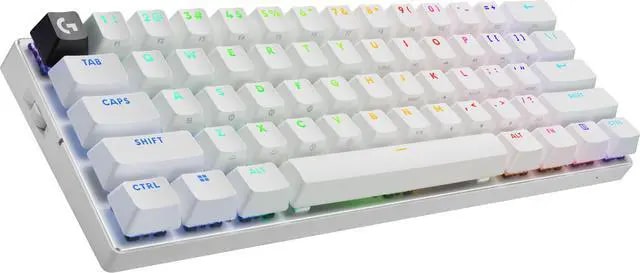
Many models feature customizable RGB lighting and programmable keys for a personalized setup. The comfortable key layout and long battery life make it ideal for extended gaming sessions without interruptions.
Logitech wireless keyboard not working:
If your Logitech wireless keyboard is not working, start by checking the batteries or charging it fully. Make sure the USB receiver is securely plugged in, or that Bluetooth is turned on and properly paired. Try reconnecting or restarting your computer to refresh the connection. If it still doesn’t respond, reset the keyboard or reinstall the Logitech software/drivers. These simple steps usually fix most connection issues.
Frequently Asked Questions:
1. How do I connect my Logitech wireless keyboard?
Turn on your keyboard, plug in the USB receiver, or enable Bluetooth on your device. Then press the pairing button on the keyboard and select it from your device’s Bluetooth list to connect.
2. Why is my Logitech wireless keyboard not working?
Check the batteries, USB receiver, and Bluetooth connection. Try reconnecting or restarting your computer—sometimes resetting the keyboard fixes connection issues.
3. What is the pairing button on a Logitech keyboard?
The pairing button activates Bluetooth mode, allowing the keyboard to connect to your device. It’s usually located on the top or back of the keyboard.
4. Where is the connect button on a wireless keyboard?
You’ll typically find the connect or pairing button near the battery compartment or on the back edge of the keyboard.
5. How do I put a wireless keyboard into pairing mode?
Press and hold the pairing or connect button for a few seconds until the LED starts blinking, indicating it’s ready to pair.
6. What are the 1, 2, and 3 buttons on the Logitech keyboard?
These buttons let you switch between up to three connected devices instantly—just press the number to toggle between them.
7. Where is the pairing key on the keyboard?
The pairing key (or button) is usually small and recessed, located near the battery slot or at the back of the keyboard.
8. Where is the on button on my Logitech keyboard?
It’s often a small slider switch on the side or back of the keyboard labeled “ON/OFF.”
9. How do I know if my keyboard is in pairing mode?
An LED light will start blinking—usually near the connection icon or power button—signaling that it’s ready to connect.
10. How do I reset my Logitech keyboard?
Turn it off, then hold the Escape (Esc) key while turning it back on. Alternatively, remove and reinsert the batteries or re-pair the device through Bluetooth settings.
Conclusion:
Logitech wireless keyboards combine innovation, comfort, and reliability, making them an excellent choice for both everyday users and professionals. Their sleek design, long battery life, and seamless connectivity deliver a premium typing experience across all devices. Whether you need a compact travel keyboard, a gaming powerhouse, or an ergonomic model for comfort, Logitech has a perfect fit. With strong performance, durability, and user-friendly features, these keyboards truly redefine what it means to type wirelessly. Investing in a Logitech wireless keyboard ensures productivity, comfort, and style for years to come.
About the Author