When I started using a thermal label printer, I was impressed by how fast and clean the prints came out—no smudges or ink hassles. It made organizing my packages and labeling products so much easier and saved me a lot of time.
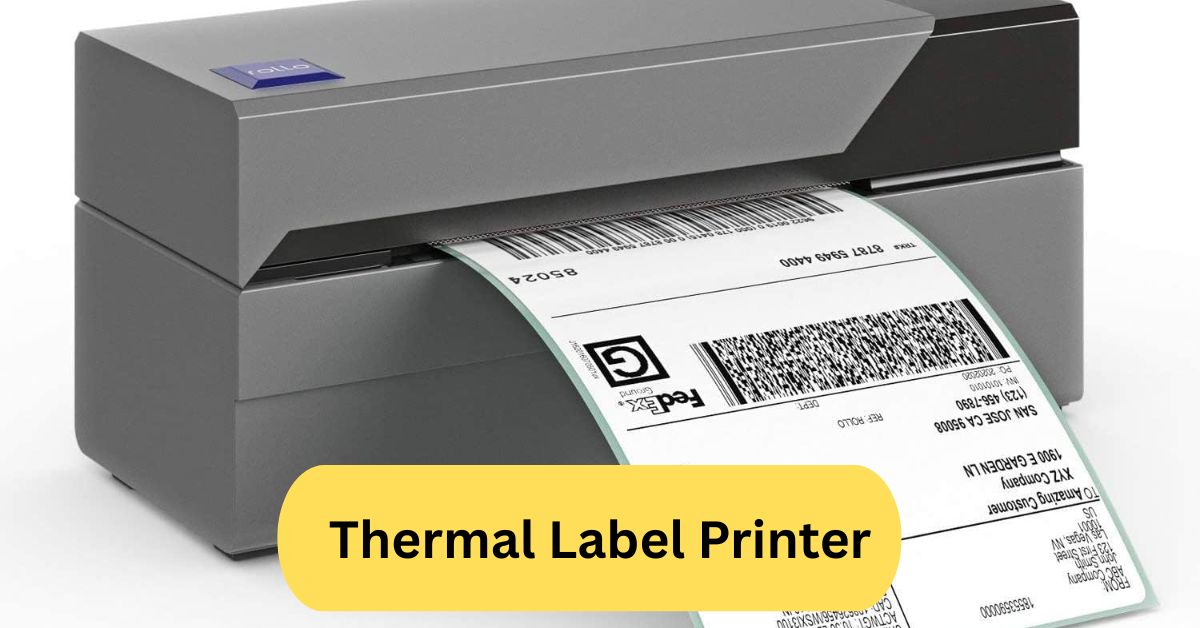
A thermal label printer uses heat to print text and images on special thermal paper or labels, eliminating the need for ink or toner. It’s ideal for creating shipping labels, barcodes, and product tags quickly and efficiently.
In this article we discuss about “Thermal Label Printer”
Table of Contents
Introduction:
A thermal label printer is a compact, high-speed printer designed to print labels, barcodes, and receipts using heat instead of ink. Unlike traditional printers, these devices rely on thermal paper or ribbons, making them efficient, cost-effective, and ideal for businesses that handle labeling daily. With industries like retail, logistics, and healthcare relying on fast and durable label printing, thermal label printers have become an indispensable tool.
How Does a Thermal Label Printer Work?
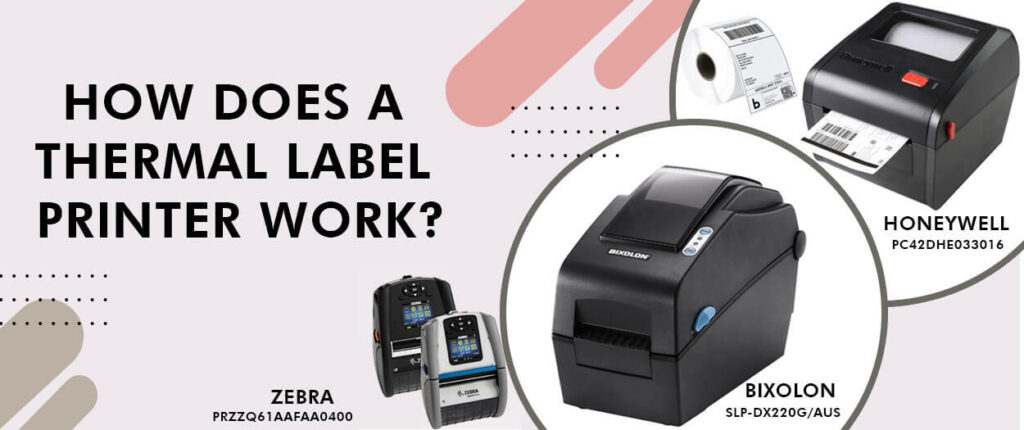
1. Direct Thermal Printing:
Direct thermal printers use heat-sensitive paper that darkens when exposed to the printer’s thermal head. This process eliminates the need for ink, toner, or ribbons, making it simple and economical. However, the prints may fade over time if exposed to heat or sunlight.
2. Thermal Transfer Printing:
Thermal transfer printers use a ribbon coated with wax or resin. Heat transfers the ribbon’s ink onto the label, resulting in durable, long-lasting prints. These are ideal for labels exposed to moisture, chemicals, or rough handling.
3. Difference Between Both Technologies:
Direct thermal is best for short-term labels (like shipping), while thermal transfer is perfect for long-term labeling (like product identification). Both offer high precision and clarity.
Types of Thermal Label Printers:
1. Direct Thermal Printers:
These are perfect for temporary labeling needs such as shipping or receipts. They require no ribbons—just heat-sensitive labels.
2. Thermal Transfer Printers:
Used for durable and high-quality printing. Ideal for labeling items that need to last months or years.
3. Industrial vs Desktop Models:
- Industrial Printers: Designed for heavy-duty, high-volume printing in warehouses and manufacturing.
- Desktop Printers: Compact and affordable, perfect for small businesses or home offices.
Key Features of Thermal Label Printers:
When choosing a printer, consider these important features:
- Print Speed: Faster models can print dozens of labels per minute.
- Resolution: High DPI ensures crisp barcodes and text.
- Connectivity: Options include USB, Wi-Fi, Ethernet, and Bluetooth.
- Label Size Compatibility: Choose models supporting various widths.
- Durability: Strong build and easy maintenance extend lifespan.
Benefits of Using Thermal Label Printers:
Thermal printers bring many advantages:
- Cost-Effective: No ink or toner needed.
- High-Speed Printing: Instant label output saves time.
- Smudge-Free Output: Heat-activated printing ensures clean, sharp results.
- Integration-Friendly: Works with POS systems, inventory software, and shipping platforms.
- Reliability: Minimal mechanical parts mean fewer breakdowns.
Common Applications:
1. Retail and Barcode Labeling:
From product tags to price labels, retail stores rely heavily on thermal printing for efficient operations.
2. Shipping and Logistics:
Companies like Amazon and FedEx use thermal printers for shipping labels, tracking codes, and packaging details.
3. Healthcare and Laboratories:
Used for patient wristbands, specimen tracking, and medicine labeling due to accuracy and durability.
4. Manufacturing and Inventory Tracking:
Essential for tracking products, managing stock, and labeling parts with serial numbers.
Top Brands and Models:
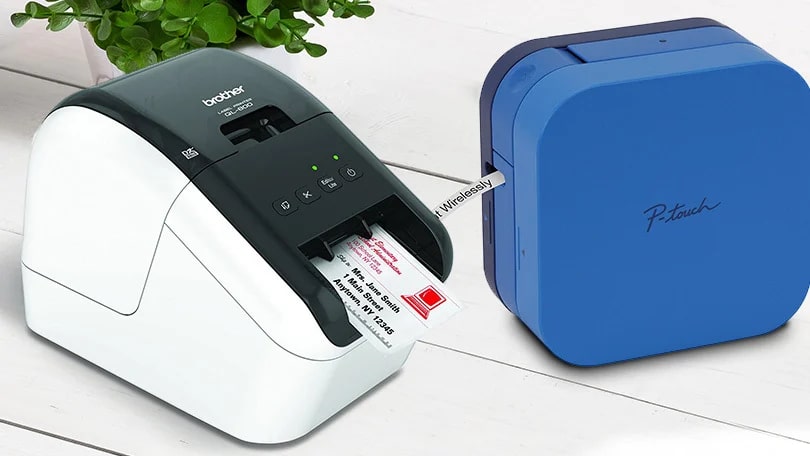
- Zebra: Known for durability and industrial-grade models.
- Brother: Offers affordable desktop printers like the Brother QL series.
- Rollo: Excellent for eCommerce users with high-speed, wide-label support.
- DYMO: Ideal for office and small business use.
Each brand offers unique advantages depending on your needs, from compact designs to heavy-duty industrial options.
How to Choose the Right Thermal Label Printer
When selecting a model, keep these factors in mind:
- Print Volume: High-demand environments need industrial models.
- Connectivity: Bluetooth or Wi-Fi enables wireless operation.
- Budget: Prices range widely depending on features.
- Label Material: Choose compatible thermal paper or transfer ribbons.
Setting Up Your Thermal Label Printer:
- Unbox and Connect: Plug in the power and connect to your PC or mobile device.
- Install Drivers: Download the latest software from the manufacturer’s website.
- Load Labels: Insert rolls correctly according to the guide.
- Calibrate: Align labels using the calibration button.
- Test Print: Run a sample label to confirm proper setup.
Thermal Label Printer Bluetooth:
A Bluetooth thermal label printer offers true portability. You can print directly from your phone, tablet, or laptop—perfect for small offices, delivery services, and mobile vendors.
Pairing is usually quick via an app, and troubleshooting involves checking Bluetooth permissions or resetting the printer connection.
Thermal Label Printer Maintenance Tips:
To keep your printer in top shape:
- Clean the Print Head: Use alcohol wipes to remove residue.
- Avoid Paper Dust: Regular cleaning prevents clogging.
- Use Quality Labels: Cheap materials can damage the print head.
- Store Properly: Keep in a cool, dry place to avoid paper damage.
Common Problems and Solutions:
- Printer Not Printing: Check power, connectivity, and label roll position.
- Faded Prints: Replace ribbon or check thermal settings.
- Label Misalignment: Recalibrate the sensor.
- Paper Jams: Open the lid, remove debris, and reload correctly.
Is a Thermal Label Printer Worth It?
Absolutely! If you print labels regularly, it saves money and time. Compared to inkjet or laser printers, thermal printers have lower operating costs and faster output. They’re ideal for eCommerce sellers, offices, and warehouses.
Future of Thermal Printing Technology:
As businesses shift toward automation, thermal printers are evolving too. Expect smarter models with AI-driven print management, cloud integration, and eco-friendly materials. Manufacturers are focusing on recyclable labels and energy-efficient components to support sustainability.
Thermal label printer software:
Thermal label printer software helps you design, customize, and print professional-quality labels easily. It supports barcodes, QR codes, logos, and shipping details with drag-and-drop tools. Popular options like BarTender, DYMO Connect, and Label LIVE make printing efficient and error-free. This software ensures compatibility with various printers and simplifies batch printing for businesses.
Best thermal label printer:
When looking for the best thermal label printer, you’ll want one that offers high print resolution (300 dpi or more), fast output, and supports common label sizes like 4″ × 6″.
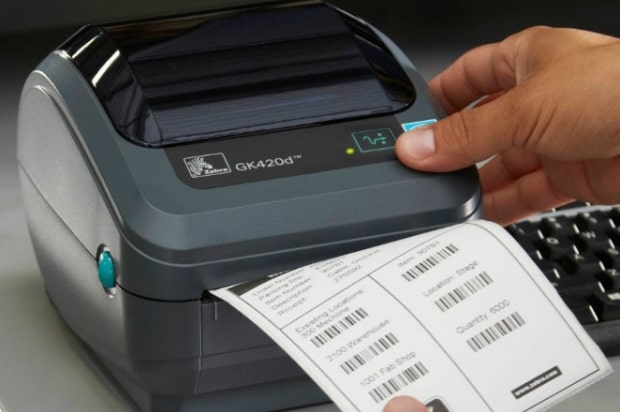
Make sure it connects via USB, Ethernet, or Wi-Fi for versatility and runs direct-thermal (no ink or toner) so your ongoing costs stay low. A top pick is the DYMO LabelWriter 5XL for high-volume shipping or the more budget-friendly MUNBYN RealWriter 403B for general use.
Thermal Label Printer Bluetooth:
A Bluetooth thermal label printer lets you print wirelessly from your phone, tablet, or laptop—no cables needed. It’s compact, fast, and perfect for mobile or small business use. Since it uses heat-based printing, there’s no need for ink or toner—just thermal labels.
Frequently Asked Questions:
1. Is a thermal label printer worth it?
Yes, it’s worth it for businesses or frequent shippers because it’s fast, ink-free, and produces durable labels that don’t smudge or fade easily.
2. What are the 5 disadvantages of a thermal printer?
They can fade over time, require special paper, are sensitive to heat/light, have limited color printing, and can be costlier upfront.
3. What is the difference between a label printer and a thermal printer?
A label printer is a general term, while a thermal printer specifically uses heat to print on thermal labels without ink or toner.
4. Can any paper be used in a thermal printer?
No, thermal printers need special heat-sensitive thermal paper or labels to work properly.
5. Do thermal printers need to be refilled?
No ink or toner refills are needed, but you do need to replace the thermal paper rolls when they run out.
6. Is it cheaper to buy labels or print your own?
Printing your own labels is usually cheaper long-term, especially for frequent users, since thermal printers don’t need ink.
7. What happens if you put regular paper in a thermal printer?
Nothing will print because regular paper isn’t heat-sensitive, and the printer can’t transfer images or text onto it.
8. What is the common problem in a thermal printer?
Common issues include faded prints, overheating, paper jams, or poor print quality from dirty print heads.
9. Do thermal printers run out of ink?
No, they don’t use ink or toner—printing is done through heat on special thermal paper.
10. What are the 5 disadvantages of thermal energy?
It’s location-dependent, can cause environmental issues, has high setup costs, limited use at small scales, and may impact ecosystems near heat sources.
Conclusion:
Thermal label printers have revolutionized the way businesses and individuals handle labeling, offering a fast, reliable, and cost-effective solution. With no need for ink or toner, they reduce operational costs while delivering sharp, smudge-free prints. Whether for shipping, retail, or inventory management, their versatility and efficiency make them indispensable tools. As technology advances, expect smarter, eco-friendly models that integrate seamlessly with mobile and cloud systems. Investing in a quality thermal label printer is truly a smart move for anyone seeking productivity and professionalism in labeling.
About the Author