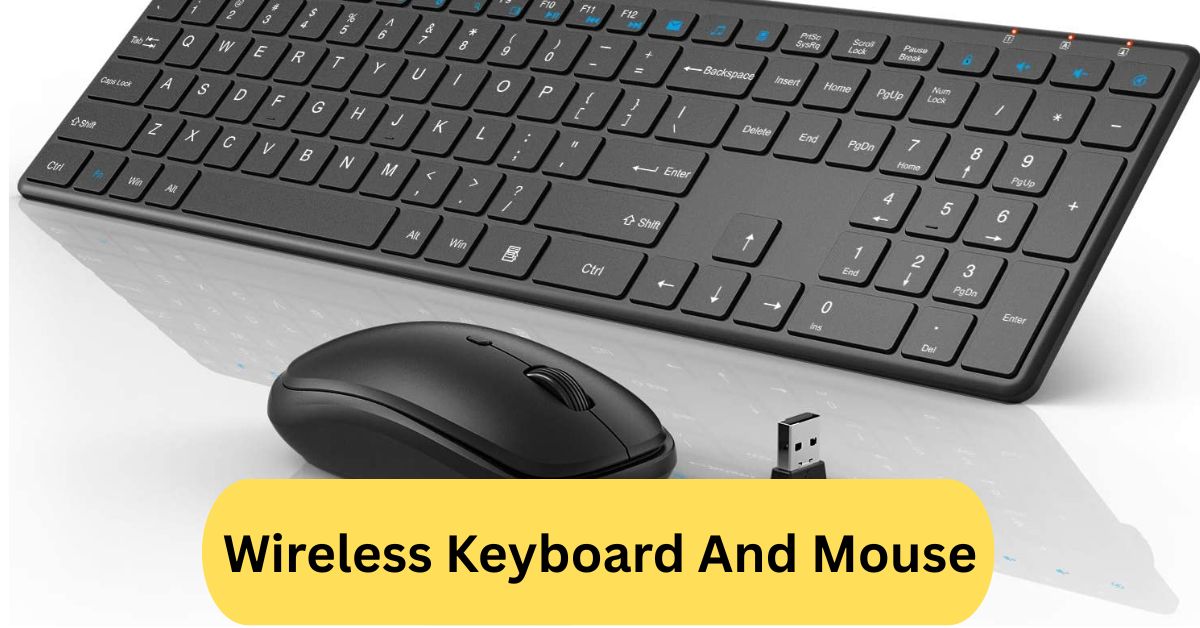
When I first used a wireless keyboard and mouse, I loved the freedom of not having tangled wires on my desk. It made my workspace look cleaner, and I could easily move around while typing or clicking from a distance — perfect for both work and relaxation.
A wireless keyboard and mouse use Bluetooth or USB receivers to connect to your computer without cables. They offer more flexibility, less desk clutter, and easy portability, making them ideal for both work and travel.
In this article we discuss about “Wireless Keyboard And Mouse”
Introduction:
Have you ever felt annoyed by tangled cables on your desk? A wireless keyboard and mouse might just be the perfect solution. These sleek, modern devices offer freedom, flexibility, and comfort—without the mess of wires. Whether you’re working from home, gaming, or simply browsing, going wireless can make your setup cleaner and more efficient.
What Is a Wireless Keyboard and Mouse?
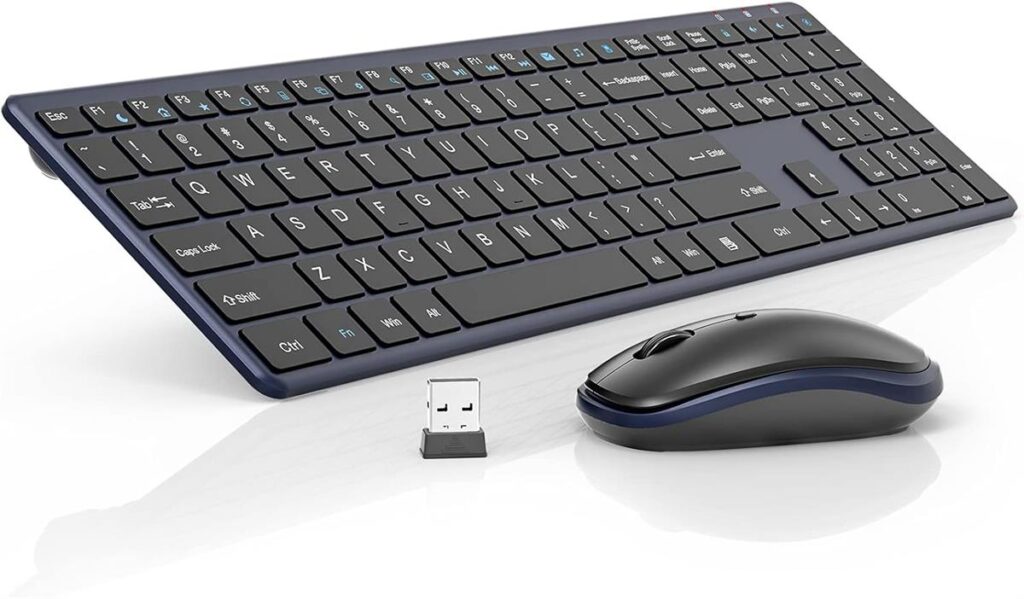
A wireless keyboard and mouse are computer input devices that connect to your PC or laptop without using physical cables. Instead, they use technologies like Bluetooth or radio frequency (RF) to communicate with the computer. This allows you to work from a distance and maintain a tidy workspace—ideal for both professionals and gamers.
How Wireless Technology Works:
Wireless peripherals rely on signal transmission between the device and a receiver connected to your computer. There are two main types of wireless communication used:
1. Bluetooth Connectivity:
Bluetooth is a popular option since it doesn’t require a separate USB dongle. It connects directly to devices with built-in Bluetooth, like laptops and tablets. The range usually extends up to 30 feet, making it great for mobility.
2. Radio Frequency (RF) Technology:
RF devices use a USB receiver (or dongle) to transmit signals. They generally offer faster response times and stronger connections, especially for gaming or office work. However, they occupy one USB port.
Key Features of Wireless Keyboards:
1. Ergonomic Design:
Modern wireless keyboards often feature ergonomic designs that reduce wrist strain. Split layouts, cushioned palm rests, and low-profile keys make long typing sessions more comfortable.
2. Rechargeable vs. Battery-Powered Options:
Some keyboards use replaceable batteries, while others come with built-in rechargeable cells. Rechargeable models are more eco-friendly and convenient, especially with USB-C charging.
3. Multimedia and Shortcut Keys:
Wireless keyboards frequently include customizable shortcut keys for controlling volume, launching applications, or managing media playback—helping you boost productivity effortlessly.
Key Features of Wireless Mice:
1. Adjustable DPI and Precision:
DPI (Dots Per Inch) determines mouse sensitivity. High-DPI wireless mice offer superior accuracy for design or gaming tasks. Many allow real-time DPI adjustments with a simple button press.
2. Silent Click Technology:
For quiet environments, some wireless mice include silent click technology, reducing sound without compromising feedback—a must-have for office or shared spaces.
3. Comfort and Portability:
Wireless mice come in various shapes and sizes, including travel-friendly mini designs and ergonomic full-size models that fit perfectly in your hand.
Benefits of Using a Wireless Keyboard and Mouse:
1. Less Clutter and More Freedom:
Say goodbye to tangled wires! Wireless devices free up desk space and make your setup look cleaner and more professional.
2. Enhanced Mobility:
You can type or click from across the room—perfect for presentations or controlling your computer while watching movies on your TV.
3. Improved Aesthetics:
A sleek, wire-free workspace looks modern and organized, creating a productive and visually appealing environment.
Disadvantages of Wireless Devices:
1. Battery Dependency:
Since they rely on batteries or charging, you’ll occasionally need to recharge or replace power sources—something wired devices don’t require.
2. Potential Connection Lag:
Some cheaper wireless models might have slight input lag, which can be noticeable during gaming or fast typing.
3. Interference Issues:
Nearby wireless signals or devices can sometimes cause brief disconnections or interference.
Wireless vs. Wired Keyboard and Mouse:
Wired peripherals are known for reliability and zero lag, while wireless ones prioritize freedom and convenience. If you’re a gamer or programmer who values response speed, wired might be better. However, for general use, the wireless option offers unmatched comfort and flexibility.
Bluetooth vs. USB Receiver—What’s Better?
Bluetooth is great for devices with limited USB ports, like laptops or tablets. It’s convenient and portable. On the other hand, USB receivers offer stronger signals and lower latency, making them better for desktops and gaming setups.
Top Wireless Keyboard and Mouse Brands:
1. Logitech:
Known for innovation and quality, Logitech offers options like the MX Keys and MX Master 3—perfect for professionals and creators.
2. Microsoft:
Microsoft’s wireless sets combine comfort, durability, and performance, making them a great choice for office environments.
3. HP:
HP provides affordable yet reliable wireless combos ideal for daily tasks and student use.
4. Dell:
Dell’s wireless keyboard and mouse bundles focus on simplicity and dependability, suitable for home and office users alike.
Wireless Keyboard and Mouse for Gaming:
1. Low-Latency Performance:
Modern gaming-grade wireless devices offer ultra-low latency connections, often indistinguishable from wired setups. Brands like Logitech’s Lightspeed and Razer’s Hyperspeed technologies ensure top-tier performance.
2. Customizable RGB Lighting:
Gamers love personalization, and many wireless gaming keyboards and mice come with RGB lighting effects that sync with your gameplay and style.
How to Connect a Wireless Keyboard and Mouse:
Turn on both devices.
- Plug in the USB receiver or enable Bluetooth on your PC.
- Follow the pairing instructions (often automatic).
- Once connected, test functionality to confirm successful pairing.
It’s that easy! No messy cables, no complicated setups.
Tips for Maintaining Your Wireless Devices:
- Clean regularly using a microfiber cloth.
- Turn off when not in use to save battery.
- Keep USB receivers safe to avoid connectivity loss.
- Update firmware if available for better performance.
Average Lifespan and Durability:
A good-quality wireless keyboard and mouse can last between 3 to 5 years or even longer with proper care. Rechargeable models often have extended lifespans, and batteries typically last for several months on a single charge.
Is It Worth Buying a Wireless Keyboard and Mouse?
Absolutely! If you value flexibility, a clean setup, and freedom of movement, a wireless combo is worth every penny. The technology has evolved to deliver fast, stable, and reliable performance—making it a great investment for work or play.
Wireless Keyboard and Mouse Gaming:
Using a wireless keyboard and mouse for gaming offers impressive freedom of movement and a clean, cable-free setup, making it ideal for immersive play or setups with limited space.
However, despite major improvements, there’s still a small risk of latency, signal interference or battery issues in top-tier competitive gaming scenarios — so picking a high-quality 2.4 GHz wireless combo is key.
In short: for casual to serious gaming, a good wireless setup can deliver virtually the same performance as wired — just keep your batteries charged and favour models with gaming-grade wireless protocols.
Wireless Keyboard and Mouse with Lights:
A wireless keyboard and mouse combo equipped with lighting (often RGB or back-lit keycaps) offers both aesthetic flair and practical benefits: the illuminated keys make it easier to work or game in low-light conditions, while the wireless setup keeps your desk tidy and cable-free.
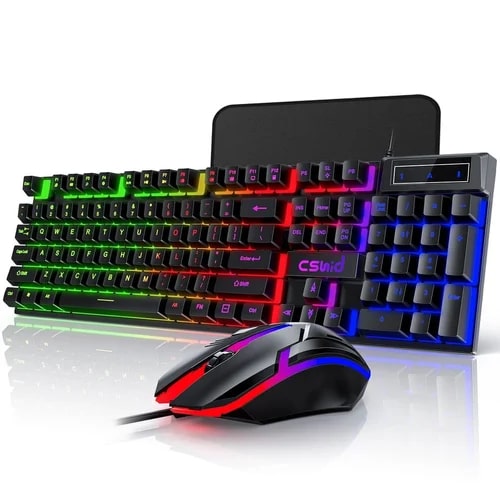
For example, one combo boasts “rainbow LED backlighting with three adjustable brightness levels” for the keyboard, and “15 switchable lighting effects” for the mouse—while offering 2.4 GHz wireless dongle connection and rechargeable batteries.
Wireless Keyboard and Mouse Logitech:
The Logitech wireless keyboard and mouse combos deliver solid performance with plug-and-play 2.4 GHz receivers, long battery life, and reliable wireless connectivity. You’ll find models ranging from budget-friendly options like the MK270 to premium ergonomic sets like the MK850, so you can choose based on your needs, whether it’s compact portability or full-scale productivity. One thing to keep in mind: since most use a USB dongle (and sometimes Bluetooth), ensure your device has the necessary port or adapter, and check compatibility with Mac/Windows if you switch platforms.
Frequently Asked Questions:
1. What is the best wireless mouse and keyboard combo?
The Logitech MK850 Performance and Microsoft Wireless Comfort Desktop 5050 are among the best combos. They offer smooth performance, comfortable typing, and reliable long-range connectivity for both work and gaming.
2. What is the best brand for wireless keyboards?
Logitech is widely regarded as the best brand for wireless keyboards due to its durability, battery life, and ergonomic design. Other top brands include Microsoft, Corsair, and HP.
3. What is the main disadvantage of using a wireless keyboard?
The main disadvantage is battery dependency — you need to replace or recharge batteries regularly. Also, wireless keyboards can experience occasional lag or connectivity issues compared to wired ones.
4. Which is better, a wireless or a Bluetooth keyboard?
Bluetooth keyboards are better for portability and multi-device pairing, while wireless keyboards with USB receivers often offer stronger, faster connections and less interference. The best choice depends on your needs.
5. Is it worth buying a wireless keyboard?
Yes, a wireless keyboard is worth buying if you value freedom from cables and a clean, flexible workspace. It’s especially useful for people who work remotely or use multiple devices.
6. What is the difference between Bluetooth and wireless?
Bluetooth connects devices directly without a dongle, while wireless usually requires a USB receiver to communicate. Bluetooth is more versatile, whereas wireless connections often provide better performance.
7. What is the average lifespan of a wireless keyboard?
A good wireless keyboard typically lasts 3 to 5 years, depending on usage, brand quality, and battery care. Premium models can last even longer with proper maintenance.
8. Are Logitech keyboards worth the money?
Yes, Logitech keyboards are worth the investment. They offer excellent build quality, long battery life, responsive keys, and features that suit both casual and professional users.
9. What is the average lifespan of a keyboard?
Most keyboards last around 5 to 10 years, depending on usage frequency and build quality. Mechanical keyboards generally have a longer lifespan than membrane ones.
10. Do wireless keyboards need Bluetooth?
Not always. Some wireless keyboards use Bluetooth, while others rely on a USB receiver for connection. The type depends on the keyboard model and your device’s compatibility.
Conclusion:
A wireless keyboard and mouse offer the perfect mix of convenience, flexibility, and style for any workspace. They help reduce clutter, improve mobility, and provide a clean, modern setup ideal for work, gaming, or everyday use. With reliable connectivity and long battery life, today’s wireless devices perform almost as well as wired ones. Whether you choose Bluetooth or a USB receiver, going wireless is a smart investment for comfort and productivity.
About the Author